Monday, May 18, 2009

Travel full-time for less than $14,000 per year

Travel full-time for less than $14,000 per year

Ask anyone what they wish they could do more of, and the answer is literally always the same: "I wish I could travel more." Yet when you remove all the excuses, few people actually do. I don't have enough vacation days! It's too expensive. My friends don't want to go with me.

I know I've been guilty of this.

Today, I've asked Nora Dunn, a professional world traveler, to write up a detailed post with her tips on traveling affordably. What I love about this article is how Nora has used money to do what she wants– instead of waiting around for a mythical day where she'll be able to travel.

Below, you'll find a few sites you've heard of, some you haven't…and the overall message: Once you remove the barrier of money, what's your excuse?

(Note: This is part of the new book, 10,001 Ways to Live Large on a Small Budget.)

Travel full-time for less than $14,000 per year

I "retired" from the rat race at the tender age of 30 to embrace my life-long dream of traveling the world, before life had a chance to get in the way.

So far, I have frolicked in the Rocky Mountains, fallen off the grid in Hawaii, managed tropical hostels, survived Australia's worst-ever natural disaster, led eco-treks on Llamas, and nearly froze to death in a camper van. (The traveling life is rarely a dull one.)

I am not rich. I am not a trust child, nor do I have rich parents, a sugar daddy, or a stream of income that allows me to live the high life on the road. Full time travel doesn't have to be expensive, and after two years on the road, I've learned plenty of tricks to travel the world without breaking the bank, and without an end in sight.

Here are my secrets (click to jump to the 11 tips below or just keep scrolling):

  1. Save 80% on Airfare
  2. Work for Accommodation
  3. Get Free Accommodation
  4. Work While Traveling
  5. Learn the Truth About Volunteering
  6. Become a Part of a Community
  7. Avoid the Biggest Trap
  8. Be Food Wise
  9. Roll with the Punches
  10. Rethink Travel Expenses
  11. Travel Slowly

Tip #1 – Save 80% on Airfare

If you solely use the big online search engines to book your flights, there is a good chance that you are overpaying – sometimes dramatically. I will demonstrate with a case study.

For the purposes of this case study, I arbitrarily decided to fly one-way from Paris to Madrid on June 15th, 2009.

In performing my search on Orbitz, the cheapest fare came from Air Brussels for $249US. At first blush this seems like a terrific deal, considering the next highest price came in at $939US.

But before I got all excited and booked the flight, I checked a few other sites, the first of which is called Which Budget. By simply plugging in my starting point and destination, I was given a listing of all the budget airlines that fly this route – many of which are not indexed with the larger search engines.

If no options appear in your Which Budget search, the alternative is to do a series of Internet searches to find other airlines that fly this route. A great starting place is to find the website for your departing or arriving airport, which often lists the airlines it caters to.

In my search, Ryanair was one of the options that came up, and before I knew it, I had found a flight on the same day, direct no less (the Air Brussels option had a stopover), for… drum roll please…. 33 Euros. This works out to a whopping $45US.

Not only did I get a direct flight by doing a little extra research, but I saved more than 80% on the listed fares.

Words of Caution/Wisdom for Saving Airfare

  • Be prepared to fly from other terminals or airports entirely. If you are booking connecting flights, ensure that you are arriving at and departing from the same airport, or that there is enough time for you to hustle to your new departure point.
  • Watch the luggage rules. Many budget airlines cut their costs by charging for checked-baggage by weight. If you don't pre-pay for your checked bags, or if you exceed the limit you paid for, you could face some hefty fines.
  • Don't expect to be wined or dined; not feeding guests is a common budget airline tactic. It's no loss really – just pack some snacks.

Other Flying Tips

  • Flying mid-week is usually the cheapest time.
  • Picking your seats doesn't have to be a shot in the dark with Seat Guru.

Tip #2 – Work for Accommodation

One of the biggest expenses for a traveler is accommodation. Working (or rather, volunteering) in trade for accommodation – also known as caretaking - is a great way to meet the locals, learn about the land, and get off the beaten path. All the while saving thousands of dollars on places to sleep.

Although most people think of WWOOFing (Willing Work on Organic Farms - we will discuss this in a minute) as the way to work in trade for accommodation, it is only the tip of the iceberg. There are work-trade gigs available in many countries, for people with a variety of skill sets. Among other things, I have milked goats, painted murals, manned reception, cleaned cottages, and maintained estates in trade for my accommodation.

My accommodation has varied in nature from five-star accommodations, to camper vans, to tiny shared hostel rooms, to Oceanside yurts (photo to the right is the view from my yurt). And you would be surprised at the lack of correlation between quality of accommodation and work expectations. Every position is unique and offers something different to the lucky (sometimes not so lucky) applicant.

Here are six resources that will allow you to find the work-trade arrangement that is perfect for you:

Caretaker's Gazette - This is one of the most useful resources I have found to date. For the $30 annual fee, you will receive listings from around the world for people who are willing to offer rent-free living (and sometimes food too) in trade for your work. Work situations vary from house-sitting, to caring for the elderly, to farm work, campground maintenance, and beyond.

House Carers - If all you want to do is watch the house and walk the dogs, House Carers is for you. Basic membership is free, and the full meal deal is about $45. A majority of the listings are in Australia and New Zealand.

Organic Volunteers - For a $20 membership, you will find a variety of work-trade opportunities that are not limited to organic farming. It is an easy platform to use, and you can converse with hosts using their system to protect your personal information.

WWOOFing - As the most popular work-trade platform, you will find individual WWOOF membership plans for each country. After paying your fee (which varies from country to country), you will receive a booklet detailing the WWOOF hosts in the area and what they are looking for. It is recommended that you get your WWOOF booklet well in advance of your trip, as some are not fully online and will only mail you their listings.

Help Exchange - With a free basic membership (and a nominal premium membership which allows you to converse with hosts using their online platform), you can browse listings around the world which entail a variety of work-trade duties. The sky is the limit.

Work Away - This platform is very similar to the ones above, and costs €20.

Advantages of Work-Trade Arrangements

  • The commute is never very far.
  • You will learn many new skills.
  • You can travel slowly (more on this later) and live inexpensively.
  • Locations are sometimes remote (whether this is an advantage or disadvantage depends on what you want out of your travels).
  • You don't need a working visa, since no money exchanges hands in a work-trade arrangement. Many countries allow volunteer work in exchange for room and board.

Disadvantages of Work-Trade Arrangements

  • Sometimes having your boss and your landlord as the same person can be troublesome. If you have a falling-out, you will not only be out of a job, but looking for a new place to live – and fast.
  • Privacy (or lack thereof) can be an issue, depending on the situation.
  • Sometimes you have to do grunt work. (Hey – if your host liked doing it, they wouldn't have work-traders.)

Tip #3 – Get Free Accommodation

Using hospitality exchanges, you are a guest in somebody's home free of charge. The arrangement generally lasts only a few days as opposed to the weeks and even months that a work-trade gig will last, so it is more geared towards active travelers.

What's in it for the host?

They get to meet you, proudly show their home town to you, and live vicariously through your stories of adventure and travel. (Oh – and if you are nice, you will do the dishes for them too.)

What's in it for you?

Instead of staying in an expensive and sterile hotel room, you have an "in" with the locals, you get to see how they live, and you have an instant local friend who can show you the ropes.

Although your stay is technically free, common etiquette dictates that you bring a gift for your host, and help out with the household chores and such. So while budgeting your free or almost-free trip, don't forget to add in this cost.

Here are four resources for you to find the right hospitality exchange:

Couch Surfing - Couch Surfing is arguably the most well-known hospitality exchange, although not the first. Your bed for the night can take the form of a couch, extra bedroom, or chunk of the floor depending on what your host can offer. You can browse online listings, learn about and converse with your potential host online, and make arrangements to meet. Safety checks are in place to ensure no dodgy travelers/hosts ruin it for everybody, but as with all the opportunities listed in this section, please do your due diligence and go with your gut instincts to be safe.

Hospitality Club - I have used Hospitality Club to stay in a few Australian homes and meet new friends in other places in the world. The platform is similar to Couch Surfing with checks and balances, and a wide variety of members can make this site an adventure to surf.

Global Freeloaders - If the platform or profiles on Couch Surfing and Hospitality Club aren't doing much for you, then check out what Global Freeloaders has to offer. The only stipulation to membership is that you must be able to reciprocate and offer up your home to travelers within six months of signing up. So if you are on a long trip, best to wait until you get home unless you can host travelers before you leave.

Servas - With over 50 years under its belt, Servas is considered to be a pioneer in the hospitality exchange arena, and is recognized by the United Nations. The membership application process is more grueling, and requires a personal interview before acceptance. Fees vary from country to country, and many country listings are not yet available online (instead, they are mailed to you). Although I don't doubt the quality of candidate screening and such, I find it much easier to use the other three options above.

Tip #4 – Work While Traveling

There are a few ways you can keep the money flowing while traveling long-term, depending on your skills and desires. Here are three:

Freelancing on the Web

With an increasing trend towards telecommuting, the widespread use of social media, and online businesses cropping up everywhere, it is quite possible to make a living online while you travel, with little more than an internet connection. Personally, I make my millions (ha) as a writer, the income of which pays my expenses over and above accommodation (which I usually work in trade for). I know another fellow whose websites and freelance SEO work make him over $3,000/month – a more than adequate long-term traveling income. (You will see shortly that the cost of full-time travel may not be as high as you think).

Reading The 4-Hour Workweek by Tim Ferriss was instrumental in helping me to see the online income, telecommuting, and outsourcing possibilities. Freelancing on the Web is possible in many careers, even if at first it may not seem so. If you are new to the concept of being an Internet business-person, then start slow; subscribe to newsletters, lurk forums, and watch how other people in your line of work are making a go of it. Combine this prep work with an ingenious idea, and you could end up laughing all the way to the bank. (Or at least covering your next dinner out. Either way.)

Working Visas

If you are under the age of 30, you can get a working visa without much drama in many western countries. In this way, you can take your skills on the road and enjoy learning how to do your job on the other side of the planet. Some country-specific resources can be found here on this topic: Australia, New Zealand, Canada, UK. Search for the country name plus "working visa" for the countries you're interested in.

Additionally, Work Permit and Transitions Abroad both have great resources for those wanting to know more about working abroad.

Other Work

Do you know how to tend bar? Serve tables? Are you a scuba dive master? You would be amazed at the working opportunities that present themselves to you on the road with a little networking and looking under the right rocks.

Now I would never condone working illegally in a foreign country, so if that is your gig, just don't tell anybody that I suggested it. But depending on where you travel and your ability to communicate with the locals, don't be surprised if a chance to work for a little extra cash comes your way. With a few nods and winks, you can make enough money to cover off some of your traveling expenses.

Or – as was the case with my travel partner, who used to fight forest fires in Canada and found himself in the middle of the worst bush fire Australia had ever seen – you may find your skills are suddenly in such demand in the country you are traveling to that a working visa will materialize.

A quick cautionary note for anybody planning to travel and work: Be aware of maintaining a balance between work and play. I have more than once entrenched myself so deeply in my work that I have lost sight of why I am on the road in the first place. As with most freelance lifestyles, everything in moderation is a key thing to remember.

Tip #5 – Learn the Truth About Volunteering

Although you would think that volunteering never costs the volunteer any money, you may be surprised. Depending on the organization, you could spend more money for the privilege of volunteering your hard labor than you would to sit on a beach at a luxury all-inclusive resort, being plied all day with tropical drinks bearing umbrellas. So volunteering on vacation is rarely a financial decision, and more likely an altruistic one.

But don't lose hope if you are on an altruistic travel quest with a minimal budget. There are a number of ways to volunteer inexpensively (or for free) if you are willing to do some research.

In Asia, I met two German girls who were on a world tour, volunteering everywhere they went. In each destination, they found orphanages and refugee camps that were more than happy to have them in each afternoon to play with the kids or help out with some of the chores. They rarely paid for this chance to help, and more often than not got a rewarding grassroots volunteering experience out of it.

If you are looking for something a little more packaged or travel-friendly, there are a number of volunteer travel resources that can help you find the perfect position:

Continental Divide Trail Alliance - A little closer to home, you can work on nature trails in North America with this company. A small membership fee applies, which allows you to volunteer as much as you like. It's hard work, but satisfying work at that.

Conservation Connect - If you are in Australia or New Zealand, this website will connect you with a myriad of volunteer opportunities, depending on your area of interest. Day trips are free to volunteer for (pack a lunch), and overnight trips work out to $200/week, all expenses in.

Personal Overseas Development - This non-profit organization connects travelers with volunteer opportunities across the world.

Compathos - This organization brings awareness and support to worthwhile international projects and volunteer travel opportunities through film, digital storytelling and grassroots media.

Voluntourism - As a pioneer of the term "voluntourism," this comprehensive site is a practical and educational resource.

Idealist - This site connects volunteer organizations with supporters and volunteers. It has a great search engine for finding just what you want, where you want.

Transitions Abroad - This is also a fabulous resource for eager volunteers to use.

I have personally found that the most rewarding volunteer opportunities were serendipitous and not organized. While in remote northern Thailand in 2008, Cyclone Nargis (which devastated the neighboring country of Burma) just missed me. Touched by the incident and the amount of suffering that was a stone's throw from where I was, I dropped my trip and volunteered my help wherever it was needed. My initially simple (and admittedly naïve) plan exploded in 24 hours into the ride of a lifetime. By virtue of this adventure, I now have lifelong friends in Thailand.

Less than a year later, I found myself in the middle of the Victorian Bush Fires: Australia's worst ever natural disaster. Once again, I rolled up my sleeves to do whatever I could, which involved working for almost a month (full-time) at a warehouse which was accepting donations of supplies for the survivors of the fire from all over the country. It was a heart-warming community-strengthening experience, and one with a happy ending: by virtue of the work that my partner and I did, we were granted 1 year extensions on our Australian visas – and given working rights. (Well, maybe it helped a bit that I ran into the Australian Prime Minister during the relief efforts: see photo to the right.)

You never know what can come out of an earnest and unselfish desire to do good for the world.

And as a Rotarian, I attend local Rotary meetings wherever I go, and am immediately tapped into local volunteer projects. It is a fabulous way to fast-track becoming part of a community.

Tip #6 – Become Part of a Community

Speaking of fast-tracking to becoming part of a community in record time, here are eight ways to help you do just that:

Rotary - Rotary is a service-based organization that works on both community and international levels to improve quality of life for everybody. Almost solely responsible for eradicating polio around the world, and with numerous sponsored student and career exchanges available, attending a meeting abroad is a brilliant way to share some camaraderie with fellow Rotarians around the world.

Toastmasters - As another international organization (this one dedicated to public speaking), you can show up at a Toastmasters meeting anywhere in the world and be welcomed with open arms. (Well, within reason. If you are a female arriving in a Muslim country wearing nothing but a bikini you have made your bed.)

See an Opportunity? Help!

The quickest way I worked my way into a completely foreign community was when I adopted the project to help the Cyclone victims of Burma. By simply rolling up your sleeves and helping where you see a need, locals will see what you are doing and come to help you. It doesn't have to be a monumental project: start with helping an elderly person with their groceries, and see where that takes you.

Library

At least in developed countries, and even in some lesser-developed areas, libraries are a hub of community information and resources. You will often find access to free or inexpensive seminars, workshops, and special interest groups. Besides which, the library is a great place to research your trip and pass some time for free.

The Pub

In many global circles, enjoying a drink with somebody is the unspoken sign of kinship. Not only that, but who is the best person in town to talk to if you want the latest word on the street? The bartender, of course. So pull up a stool, and just take in the scene at the pub. If you look remotely approachable, you won't likely leave alone if you don't want to.

Bulletin Boards

I love bulletin boards. Be they in hostels, libraries, pubs, or supermarkets, you can learn lots about a community by virtue of their bulletin boards. Search the listings – you may find a job opportunity, some gear you want to buy (or a buyer for something you want to sell), a place to stay, or even just a new friend.

Community Newspapers

Although a little less interactive than bulletin boards, a community newspaper will give you a decent sense of what makes the community tick and tap you into the local pulse.

Keep your Eyes Open, and Get Involved!

Be aware of your surroundings, and don't be shy. In Thailand one evening, my boyfriend and I noticed some elderly people sitting around a radio and listening to the closest thing to Thai-Country music I could imagine. We spent a spontaneous evening enjoying their company and watching all the tourists at the market, almost none of whom looked up from their souvenir shopping long enough to notice that we were having a good time right in front of them.

By becoming part of a community, you will discover new doors opening for jobs, places to stay, and places to eat. You will get to know the local culture better, avoid the tourist traps, and best of all – you will make some amazing friends along the way. Enriching travel involves putting yourself out there, potentially making a few mistakes along the way, but also reaping the benefits of your courage in unimaginable ways.

Tip #7 – Avoid the Biggest Trap

This is an easy tip to learn, but one of the hardest to practice. I still struggle with keeping my travels free or almost-free, given the never-ending temptation to…are you ready for it?…buy souvenirs.

Don't.

One of the easiest ways to save money while you are traveling is to steer clear of the souvenir shops. Most often, the goods are mass-produced in another country entirely, and lack the authenticity that you are probably looking for. Even if you find yourself coveting a trinket that is "real," ask yourself these questions:

  • Is it an accurate representation of the place I am visiting?
  • Will I use it?
  • Will I remember this trip by virtue of owning this souvenir?
  • Was I planning on buying something like this anyway?

If you even think twice about answering yes to these questions, it is best to reconsider your purchase.

Instead of leaving yourself to chance and impulse, why not put a little purpose into your souvenir shopping? Before leaving for your trip, choose one or two items that for you will encapsulate the trip and the destination, then spend your traveling days searching for the perfect artifact. If the whole family is planning, allow everybody to choose their own souvenir. It gets other family members involved in the trip planning process, and will minimize the kids' incessant requests for "can I have this…and this…and this?"

I have a pair of blue tanzanite earrings and a mask from South Africa, a silk shirt and painting of Buddha from Thailand, hand-carved wooden salad spoons from Spain, and a hand-crafted Didgeridoo and piece of black opal from Australia, as examples. Not a tacky t-shirt or keychain can be found in my collection of souvenirs from around the world. My wallet thanks me, and I like it this way.

Tip #8 – Be Food Wise

From food selection, to the time of day you eat, to how you eat and socialize – there is a lot of money that can be spent (or alternately saved) by virtue of paying attention to how you eat while traveling. (Don't worry, I won't tell you to eat ramen if you don't like to.)

Case Study: Taco Tuesday

When I lived in Hawaii, I met a lot of travelers at the hostel where I was living (and working in trade for accommodation). Everybody enjoyed sharing and hearing travel tales of adventure and misadventure alike. So when "Taco Tuesday" presented itself as a way to get super cheap beers and tacos, we jumped at the opportunity to enjoy a night on the town all together.

Interestingly, Taco Tuesday became a fascinating study in the spending patterns of people on vacation.

John and Wendy, having nipped over to Hawaii for a quick break before embarking on a major move across the country, didn't have huge money concerns, but were trying to be frugal knowing that their upcoming move would cost them dearly. Dave and Angie were finishing off a trip around the world, having been on the road for eight months already through countries both expensive and inexpensive.

They played hard during their trip, but their stash of cash was predictably dwindling (an expected bi-product of good budgeting through their long trip). Julie was a very young headstrong woman figuring out where she belonged in the world, and Wayne was an older gentleman on an extended vacation. Rounding out the group (in addition to myself) was Phil, who was something of a nomad, living and working in Hawaii for a bit before moving on to the next locale that tickled his fancy.

I describe each friend's background in an effort to paint the picture; one of a group of people, all originally from North America, but bringing an entirely different set of experiences, finances, and travel values to the table.

Where things got interesting was in how people indulged on Taco Tuesday.

John & Wendy decided that cheap beer was more appealing than cheap tacos, and so they engineered their budget for the night to partake of the beer (at $2/bottle), and prepared their own full dinner at the hostel prior to going out. Dave & Angie being well-seasoned travelers chose to fill up on some home-made appetizers prior to going out, and each nursed one beer and a taco or two. Julie simply had Coke (not only was she young, but she was broke and underage), and Wayne (who had gads of money) flew under the radar with one beer and two tacos, as did I. And then there's Phil. Poor Phil.

Phil was definitely out for the party and camaraderie, but didn't have much money to spare given his lifestyle. This didn't seem to stop him from indulging though; he managed to order seven tacos, and four beers – not the beers on special though – premium beers.

Phil's tab ended up being more than everybody else's tab – combined. No wonder he was constantly broke. He listened to tales of faraway and exotic destinations with drooling enthusiasm – and a bit of melancholy, as he wished he had the ability to travel to these places, but couldn't scrape together even the airfare if he had to.

Here's the rub: The amount of money spent on this night was in no way correlated to how much fun each person had. Everybody laughed, shared stories, enjoyed the leisurely walk along the ocean to and from the bar, and came away with great memories. If anybody, Phil seemed the least enthused about the night, spending much of the walk home doing the math about how many hours he would have to work to pay for his tab. At least he had a good buzz on to dull the financial pain.

Despite a range of financial backgrounds and intrinsic values, the people who had the ability to spend a wad of dough that night chose not to. Most people ate something at home prior to going out, so they wouldn't be starving and end up over-eating at the bar. The tacos were cheap – but they weren't cheaper than a healthy homemade snack or meal.

Next to accommodation and long-haul flights, food and drinks are going to be the biggest drain on your expense account while you are traveling. So although you don't want to sacrifice quality of your vacation by limiting yourself, you can decide what is important to you and budget accordingly. If you were at Taco Tuesday, what would you do?

Do you like beer? Then scrimping a bit on food may be a way for you to enjoy a night on the town without wondering if the next beer will put you over-budget.

Do you like food? Then drink water instead of premium drinks, and order that dish that makes your mom's cooking look like slop.

Here are some more tips for saving money on food:

  • If you don't normally eat breakfast in a restaurant, don't do it while traveling. Instead, save your money and buy some basic ingredients from the grocery store.
  • Want a special meal out? Consider going out for lunch instead of dinner. You often get similar if not identical portions, but for a fraction of the dinner prices.
  • Avoid hotel restaurants, especially for breakfast. They tend to be overpriced in the name of convenience.
  • Does the restaurant have a beautiful view? If so, chances are you are paying for it with your meal. Instead, go to the restaurant around the corner (for better and cheaper food), and/or take a picnic to where the view is.

Tipping

Don't carry your 20% American tipping conventions around the world with you – it is unnecessary, and in some cases, you can actually offend locals. Instead, do some research. For example, tipping at bars and restaurants is not expected in Australia, China, and Italy. In Germany, look for the words "Trinkgeld Inbegriffen" on your bill which means a service charge has been included already.

Tip #9 – Roll with the Punches

When I decided to travel full-time, I had aspirations of heading to Costa Rica as part of a broader Central and South American adventure. But before I booked the ticket, an opportunity came to me that took me across Canada instead. When I was ready to re-join my original plans, another opportunity to go to Hawaii cropped up. Then Asia. Then Australia. And so on. I've yet to make it to my original destination, but Latin America isn't going anywhere – it will surely happen yet.

While you are traveling, opportunities of many an ilk will come to you from all directions. Be prepared to adopt and accept these changes as part of your traveling credo. You can't possibly predict what will happen or how you will feel when you land in India, so cut yourself some slack if you either feel the need to get out of there ahead of plans, or want to extend your stay after accepting the generous and spontaneous hospitality of a local family.

Had I not rolled with the punches and allowed my travel plans to evolve with me, I may never have had a chance to meet Bracken – the kangaroo I lived with for six months nor would I have ever learned to milk goats (hot on the heels of being a very city-oriented business person a mere few months prior).

I might have missed out on meeting the generous people in the tiny town of Lightning Ridge, and I certainly would never have become a part of the local Chiang Mai community if I had continued with my agenda and not helped the Burmese victims of Cyclone Nargis.

Tip #10 – Rethink Travel Expenses

In my first full calendar year abroad, my partner and I spent $20,000 in total. This included a host of miscellaneous and pricey expenditures, such as the purchase of a new laptop, a car, insurance, and numerous long-haul flights. For a single person, I would suggest that the cost of full-time travel could be achieved for $14,000/year. By utilizing the techniques outlined in this article, you can see that travel doesn't have to break the bank.

Tripbase has some funky widgets for planning your trip, including the handy Trip Cost Calculator, which estimates the cost of lodging and three daily meals in any given destination, according to your selection of a budget, mid-range, or high-end price tag.

Tip #11 – Travel Slowly

The more flights you take, the more money you will spend. The more you have to pack up, hop on a bus, a train, or a taxi, and find a new place to stay, the more money you will spend. Want to keep your travels free or almost-free? Consider traveling slowly.

Think of your trip as a lifestyle and not just a getaway, even if you are only traveling for a short time. Don't worry about seeing absolutely everything there is to see in Europe – just focus on one or two countries if you don't have years to see it all.

By staying in one place for a while, you will get to know the people, the language, and the culture. Your new connections and friends will help you to have fun, plan the next stage of your trip, and embrace the place you are visiting. If you are actually living there as a local (even for a month or two) as opposed to actively traveling through, you will get a different perspective of the place entirely.

Traveling slowly is very rewarding. I am about to take a four month trip around the world (yes, I'm already a full-time traveler; it's a long story). But I'm only choosing to visit a few destinations, which I will explore in depth.

By volunteering for a few weeks here and there, working in trade for accommodation or using hospitality exchanges, watching what (and when) I eat and what I buy, and being savvy in booking flights, I will integrate myself into the local community, see the sights, and make friends. Oh yeah – and I will be traveling for free – or almost-free, anyway.

For more tips on how to explore the world without spending a fortune, check out Nora's blog and her new book 10,001 Ways to Live Large on a Small Budget. The book includes guest contributions from other great blogs such as Wise Bread, Zen Habits, Get Rich Slowly, The Simple Dollar, Digerati Life, and the Frugal Duchess.

Non-Commercial P2P = Fair Use

Harvard prof tells judge that P2P filesharing is "fair use"

Harvard Law professor Charles Nesson is headed to federal court this summer to defend an accused file-swapper, and he plans to mount a novel defense: P2P sharing is simply "fair use."

By Nate Anderson | Last updated May 18, 2009

Harvard prof tells judge that P2P filesharing is "fair use"

Wholesale copying of music on P2P networks is fair use. Statutory damages can't be applied to P2P users. File-swapping results in no provable harm to rightsholders.

These are just some of the assertions that Harvard Law professor Charles Nesson made last week in his defense of accused file-swapper Joel Tenenbaum. In court filings, Nesson spelled out his defense strategy, which doesn't appear to involve claims that his client "didn't do it." Instead, Nesson argues that it doesn't matter if Tenenbaum copied music; such noncommercial uses are presumptively "fair" and anyone seeking to squeeze file-swappers for statutory damages is entitled to precisely zero dollars.

The strategy certainly doesn't lack for boldness. In making the case that statutory damages only apply to commercial infringers, Nesson says that his reading of the law is "constitutionally compelled." His most interesting argument is that the law offers rightsholders the chance to seek either statutory or actual damages, but that the two are meant to be equivalent.

"It would be a bizarre statute indeed that offered two completely unrelated remedies," he writes, "one which granted actual damages and lost profits, and the other of which granted plaintiffs the right to drive a flock of sheep across federal property on the third day of each month."

If the two remedies are equivalent, and if "individual noncommercial copying results in no provable actual harm to the copyright harm holder," then actual damages would be zero—and so would statutory damages. "In this context, it would be unreasonable to consider the $150,000 per infringement authorized [by the law] as an appropriate substitute for the zero actual damages."

(The recording industry has not sought $150,000 per infringement in any case, and the statute actually allows a spread that begins at $750 per infringement. In the Jammie Thomas trial, a jury settled on an amount close to $10,000 per song.)

It's all fair use

In any event, all of this statutory damages talk doesn't matter, because Nesson claims that Tenenbaum's use of the songs at issue here was "fair use" and thus not an infringement at all. It's a gutsy move to claim that wholesale downloads of complete copyrighted works for no purpose higher than mere enjoyment of music somehow satisfies the famous "four factor test" for fair use claims, but Nesson believes he can win over a jury.

"Defendant Tenenbaum expects and plans to offer the jury evidence relating to each one of these four factors," Nesson wrote in his court filing, "just as they are articulated in the statute, with the jury to decide their meaning as they apply to the facts of his particular case."

Nesson has been floating this idea to his supporters for some time, but the reception has been frosty. Lawyers like Lawrence Lessig, a huge fan of "free culture," remixing, mashups, and reduced copyright protections, wrote in an e-mail to Nesson that "of course [Tenenbaum's conduct] was against the law, and you do the law too much kindness by trying to pretend (or stretch) 'fair use' excuses what he did. It doesn't."

And Terry Fisher, who heads Harvard's Berkman Center for Internet & Society and is an expert on fair use, pointed out that P2P filesharing would likely fail the four factors test. "This is not to suggest, of course, that it's sensible for the legal system to be set up in such a way as to enable and encourage the RIAA to go after people like Joel," he wrote. "I devoted much of a book to arguing that it's not—and I'm happy to testify to that effect. But the fair use doctrine does not, in my view, provide a plausible vehicle for reform."

But last week's court filings indicate that this is precisely how Nesson intends to argue the case. As for the "four factors," he plans to address them... but also to go far beyond them. Nesson will introduce "other factors" that the jury should consider in the case, which include "the copyright holder's knowledge of and assumption of risk when it published the copyrighted work that work would be ripped and shared on P2P networks."

Should Nesson win, he will essentially legalize the sharing of all digital goods, copyrighted or not, by noncommercial users. Given that he wants to make the case about big principles like fair use and the applicability of statutory damages—and not about whether Joel Tenenbaum did what he is accused of doing—the music industry is likely to fight even harder to ensure that Nesson's preferred outcome is not realized. The fireworks are scheduled to begin this summer in Massachusetts federal court.

Sunday, May 10, 2009

COOL - 15 things you need to know about Windows 7

15 things you need to know about Windows 7

Secrets, hidden tech and unadvertised features

16 hours ago | Tell us what you think [ 1 comments ]

windows-7-uac

Windows 7 provides various ways to help reduce the number of UAC alerts

ZoomZoom

<>

Windows 7 has been making headlines for a few months now. If you've read one or two of the stories and reviews dedicated to it, you might think that you know about all that it contains: new touchscreen features, a revamped taskbar with larger thumbnail previews, Internet Explorer 8, easier networking and so on.

While that sounds reasonable enough, it's not exactly exciting. It might even have given you the impression that Windows 7 isn't very different from Vista. That assumption, however, would be a mistake.

The reality is that Windows 7 is packed with new developments – it's just that most people aren't talking about them.

Would you like to be able to defrag multiple hard drives at the same time, or create a sandboxed PC user account for your kids so that they won't be able to mess up your Windows or program settings any more?

What about working with – and even booting from – virtual hard drive (VHD) files, the ability to encrypt USB flash drives to protect the data you're carrying, and tools for calibrating your display to ensure that you're seeing accurate colours and crisp, clear text? Windows 7 has all these features, and a whole lot more.

Security

1. Keep your PC clean

If you share your PC with less experienced computer users then you'll know the problems that can arise as they mess up your settings and unknowingly install dodgy software. Windows 7 can help you to avoid these problems.

Enable PC Safeguard on the kids' account and they'll be able to log on and play as normal – but when they log off , any settings they've changed are reversed, files they've saved are deleted and your hard drive is returned to its original state.

2. Restrict other users

If Safeguard isn't enough, try AppLocker. It gives you even more control, restricting users to only the programs you specify. It's able to automatically create rules for your installed programs, and other rules can be added in seconds.

3. Action Center

Windows 7 replaces the Security Center with the more all-purpose Action Center, which warns you of PC maintenance and back-up issues as well as potential security problems. It's prone to complaining if your security settings don't meet its approval, but at least now there's an effective solution.

If you regularly see messages telling you that you've turned the Windows firewall off , say, then you can choose to disable just those while leaving the more useful alerts active.

4. Tone down UAC

User Account Control irritated many Windows Vista users with its constant warnings that 'Windows needs your permission to continue'. Windows 7 improves the situation by displaying fewer warnings and providing additional UAC tweaks.

Tell the system not to raise warnings if you change Windows settings and you'll be able to use the Control Panel without any prompts. Alerts will only appear if a program tries to perform a similar action.

5. BitLocker to go

Encryption isn't just for hard drives anymore: the Windows 7 version of BitLocker can protect removable (and easily lost) devices such as USB flash drives, too.

Right-click the device in Explorer, select 'Turn on BitLocker' and then enter and confirm a password to protect your data from snoopers.

6. 'Run as' returns

Right-click a program in Windows XP and you'll see a 'Run as' option that allows you to run the program as a different user. This is very useful if you'd like to run an app that requires different privileges to your current account.

The option disappeared in Vista, but Microsoft has relented: hold down [Shift] while right-clicking a shortcut and you'll see that the 'Run as' option has returned.

7. Find and fix problems

Windows has always had plenty of troubleshooting tools, but they've been scattered around many different places. Windows 7 brings order to this situation by placing all of the most important troubleshooters in the new Find and Fix Problems applet, located in the Control Panel.

These fix common problems, check for incorrect settings, clean up your PC and more. Developers can create additional troubleshooters, too. You can read more about that at Within Windows.

8. The Problem Steps Recorder

As a knowledgeable PC user, it's likely that you're called upon to troubleshoot friends' computer problems, which can be tricky if they find it difficult to describe what's going on. Windows 7 has a handy tool to solve this problem.

If an application is misbehaving under Windows 7, all the flummoxed PC user needs to do is launch the Problem Steps Recorder, click 'Record' and work through whatever task they're trying to complete.

Every click and keypress that they make will be recorded, packaged up with screen grabs and saved into a single zipped MHTML file, ready for emailing to you. It's a simple tool that's going to save many people hours of time.

9. Extended System Restore functionality

System Restore has always been a very handy troubleshooting tool, and Windows 7 extends it in a couple of useful ways. A single click will now tell you exactly which programs and drivers will be restored or deleted if you choose a particular restore point, and there's now an interface that lets you configure the amount of disk space allocated to System Restore.

You can also decide not to back up Windows settings. This means that only files will be backed up, so you'll be able to squeeze more restore points into the available disk space.

10. Discover bottlenecks

If your Windows 7 PC seems sluggish, the new and extended Resource Monitor should help you to sort things out. It's like a more powerful version of Task Manager that not only shows you the processes running on your PC, but also reveals how they're using your CPU, RAM, hard drive and network.

A couple of clicks can show you who the biggest resource hogs really are.

11. DIY system discs

Windows 7 includes a new option to burn a bootable system repair disc. If your PC won't start, pop in the repair disc and it'll do its best to restore normal operations. There's no new technology involved – it's just a CD version of the Start-up Repair tools on your Windows Vista disc – but this functionality will be useful for people who never get a full Windows 7 DVD.

It's also safer to carry one of these around with your laptop rather than risk damaging or losing your original Windows disc.

12. Faster IE startups

Some heavyweight Internet Explorer add-ons can take a while to start. IE8 can help you spot the worst off enders.

Click 'Tools | Manage Add-ons', peruse the Load Time column and you'll immediately see which extensions are putting a brake on your browsing.

13. Simultaneous disk defrags

Ever wondered why you can't defrag both your hard drives at the same time? There's no reason why not – and now in Windows 7 you can through the command-line defrag tool. Other new switches run the defrag at a higher priority and provide regular progress reports. Enter 'defrag /?' in a command-line window to fi nd out more.

14. Multithreaded Robocopies

The command-line Robocopy tool also sees new optimisations, including an '/MT' switch that can improve performance by carrying out multithreaded copies (you can specify up to 128 threads).

Enter 'robocopy/?' at the command line for the full details, though Robocopy newbies should be aware that there are an enormous number of switches to examine.

15. Search connectors

Windows 7 adds support for search connectors. These are small configuration files that extend the Windows Search tool to include online resources. To add Flickr support, for example, visit www.istartedsomething.com/flickr search to download and open the connector.

This will add a Flickr Search option to your Searches folder, and you'll be able to search the site from within Explorer.

Read the full 30 Things You Need To Know about Windows 7 at the PC Plus magazine website.

21 WordPress Photo Blog Templates

21 Premium-Like Free Photoblog Themes For Wordpress


You may be interested in our latest article Get Your Free FlashEff 2 Premium Plus Beta Invitation

Few days ago, we have been requested to list down some beautiful photoblog themes for wordpress. Today, we are going to deliver the most beautiful collection of photoblog themes for wordpress. This is not the long list with all the available wordpress themes on the internet but this is an exclusive collection of free photoblog wordpress themes that are nice, simple and elegant looking and you may consider any of these themes as per your need  if you are searching for your photoblog.

You are welcome to share more wordpress themes for photoblogs which our readers may like. Do you want to be the first one to know the latest happenings at  smashingApps.com just subscribe to our rss feed and you can follow us on twitter as well.

You may be interested in these older posts
43 Really Useful Photoshop Tutorials For Excellent 3d Effects
17 Mind-Blowing Digital Painting Tutorials Of Beautiful Girls
31 Masterpieces Of Creative And Clever Advertising Concepts
23 Magical Photographs To Believe That Are Not Photoshopped
13 Premium-Like Wordpress Themes That Are Free And Stunning
21 Really Stunning Photoshopped Photos For Creative Inspiration
43 Of The Extremely Creative Wonders Of Macro Photography
27 Best Places You Should Visit To Get Incredible Web Design Inspiration!
13 Simple And Elegant Free Wordpress Themes
21 Extremely Vibrant And Creative Advertisements With Animals
39 Masterpieces Of Creative Advertisements

17 Digital Image Illustration Which You Probably Never Seen Before!
15 Digital Photo Manipulation From Flickr To Get Inspiration
23 Awesome Photos That Look Like They're Photoshopped But Are Not

PhotographerDream Wordpress Theme

PhotographerDream Wordpress Theme

PhotographerDream Wordpress Theme was build specially for photographers. Right from the main page visitor will see photographer shots. On the photo page image pan is used, so if the image is extra large user will drag it to view every pixel. Your blog visitors can also press control and drag photo to zoom the image.

AutoFocus

AutoFocus

AutoFocus is a Wordpress theme specifically for photographers looking for a simple and elegant way to display their work online.

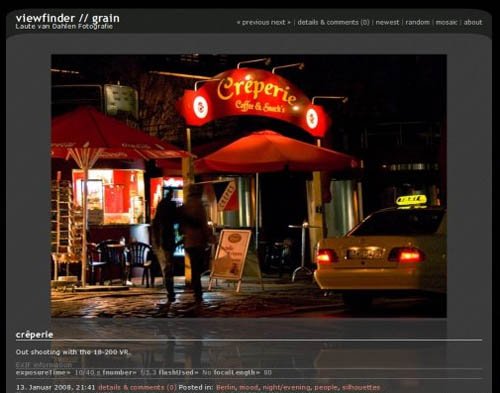
Grain Theme for WordPress

Grain Theme for WordPress

Grain Theme for WordPress is a fixed-width photoblog theme for WordPress 2.3+. To use it you have to additionally install the Yapb plugin; Recommended versions are 1.9 or newer. Grain comes with an administrative backend and relies heavily on CSS for it's styling. It uses a mosaic style overview page, has archives, can display exif data, browse to random photos etc.

Fotofolio

Fotofolio Wordpress Theme - For your online portfolio

Fotofolio is a free wordpress template designed for easy creation online portfolio for Visual Workers; Photography, Graphic Design, Manga, Architect, etc.

Wordpress Theme - Photo Blog

Wordpress Theme - Photo Blog

Wordpress Theme - Photo Blog is a simple Wordpress theme. No widget and fix width. Huh! Important here it's simple, clean and easy to modify.

Wp Foto theme

Wp Foto Theme

Wp Foto theme is single layout theme designed for photo blogger. It uses custom fields for displaying thumbnail in home page, archive page, category and tag page.

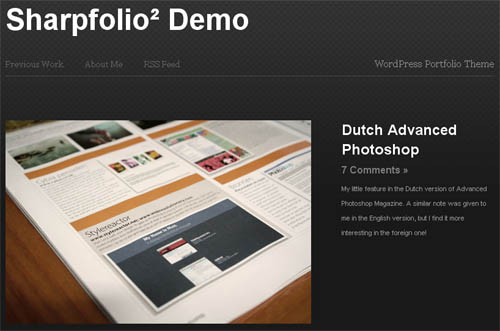
Sharpfolio

Sharpfolio

Sharpfolio is a WordPress theme designed to enable Web Designers, Graphic Designers, Photographers, Motion Designers, Artists or any creative professional to showcase their work in a simple, clean, beautiful portfolio.

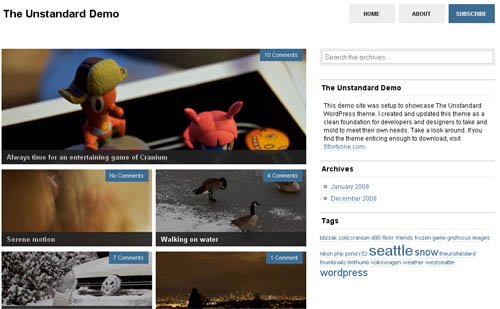
The Unstandard

The Unstandard

The Unstandard is a split two / three column WordPress 2.6 or 2.7+ compatible theme. The home and archive index pages utilize photos rather than text. The latest update is completely optimized and stripped of any unnecessary code allowing for complete customization

Fotolog WP theme

Fotolog WP theme for photoblog

Fotolog WP theme for photoblog is suitable for those who have huge interest in photography but have no specific template to showcase their high quality photos with wide dimension. It has 1 column, showing 1 photo for each page and showing maximum 800px width photo on main page (can be modified). Previous photo and next photo link on top and bottom of each page, this will help for better/faster navigation.

PhotoBlog Theme for WordPress

PhotoBlog Theme for WordPress

PhotoBlog Theme for WordPress uses the jQuery JavaScript-Framework, which has been included with the standard WordPress installation since version 2.1. The plugin uses the standard JS that is part of WordPress, meaning that it does not need to be installed separately. The decision to use jQuery was made on account of its very small file size (20KB)

Free Photo Gallery

Free Photo Gallery

Free Photo Gallery is a perfect theme for those photo bloggers who want to display bigger sized images. The simple web page has links to other pages like About and other images and comment section below the image.

Reflection

Reflection

Reflection is a simple, clean and elegant theme for running your photoblog using WordPress.

Photoblog Dark Portfolio Wordpress Theme

Photoblog Dark Portfolio Wordpress Theme

Photoblog Dark Portfolio Wordpress Theme is ajax content sliderDark style, online portfolio premium wordpress theme.

Grace

Grace Theme

Grace is a stylish, minimalistic photoblog theme for WordPress. Grace's muted color scheme and big frame puts your photos right at the center of the blog making colors seem even more vibrant and beautifully complementing those in black and white.

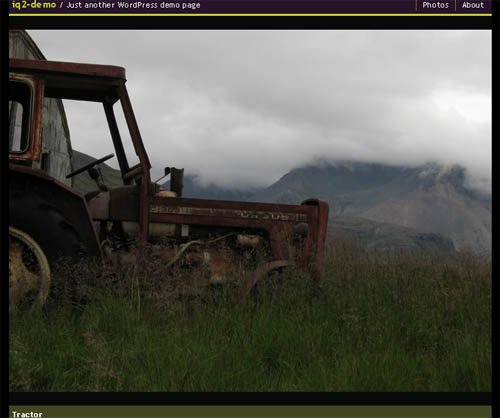
iQ2 is a WordPress photoblog

iQ2 WordPress Photoblog Theme

iQ2 is a WordPress photoblog theme that fully integrates with the PhotoQ Photoblog Plugin. The main features of the theme consists Fixed width, Fully widget compatible, Built-in EXIF support etc.

Ascari

Ascari

Ascari is a very simple theme so it is perfect for portfolios of any kind. This will also post a coming soon image if you don't post a image yourself to keep the theme looking professional.

Spotless

Spotless

Spotless is a Wordpress Theme designed specifically to be used for Photoblogs.  This is valid XHTML and CSS wordpress them. This is the most simplest free wordpress photoblog theme of its kind.

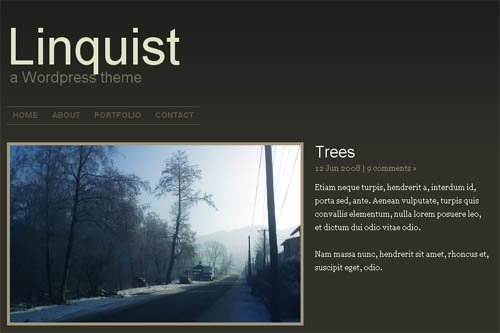
Linquist

Linquist

Linquist is a simple, portfolio oriented theme, without the usual blogging garbage. Inspired by and partially based on the fantastic Sharpfolio theme.

WP Pix Free Theme

WP Pix Free Theme

WP Pix Free Theme is not just another WordPress theme, it's more to it than meet the eye — it's a real photoblog/portfolio.

Photo-Biyori

Photo-Biyori

Photo-Biyori is a simple yet beautiful wordpress theme that can generate thumbnail automatically. This is widget ready theme with default picture size 500px.

Viewport Free Wordpress Theme 

Viewport Free Wordpress Theme

Viewport Free Wordpress Theme is a 1 column grey photoblog Wordpress Theme. This is very beautiful theme having attractive navigational structure for images.

Congress Plans Incentives for Healthy Habits

Congress Plans Incentives for Healthy Habits

Published: May 9, 2009

WASHINGTON — In its effort to overhaul health care, Congress is planning to give employers sweeping new authority to reward employees for healthy behavior, including better diet, more exercise, weight loss and smoking cessation.

Readers' Comments

Readers shared their thoughts on this article.

A web of federal rules limits what employers and insurers can do now.

Congress is seriously considering proposals to provide tax credits or other subsidies to employers who offer wellness programs that meet federal criteria. In addition, lawmakers said they would make it easier for employers to use financial rewards or penalties to promote healthy behavior among employees.

Two Democratic senators working on comprehensive health legislation, Max Baucus of Montana, the chairman of the Finance Committee, and Tom Harkin of Iowa, have taken the lead in devising such incentives.

"Prevention and wellness should be a centerpiece of health care reform," said Mr. Harkin, who regularly climbs the stairs to his seventh-floor office on Capitol Hill.

The White House agrees. One of President Obama's eight principles for health legislation is that it must "invest in prevention and wellness," a goal espoused in almost identical words by Republican senators like John Cornyn of Texas and Orrin G. Hatch of Utah.

Frank B. McArdle, a health policy expert at Hewitt Associates, a benefits consulting firm, said, "Wellness and prevention programs have become a mainstream part of the benefits offered by large employers, and it's virtually certain that Congress will include incentives for such programs" in its bill. The goals of such programs are to help people control blood pressure, fight obesity and manage diabetes and other chronic conditions.

Under Mr. Harkin's proposal, employers could obtain tax credits for programs that offer periodic screenings for health problems and counseling to help employees adopt healthier lifestyles. Programs could focus on tobacco use, obesity, physical fitness, nutrition and depression, he said.

Growing numbers of employers have adopted wellness programs after finding that they can lower health costs and increase the productivity of workers. Financial incentives include gift certificates and premium discounts or surcharges.

Critics say that holding people financially responsible for their health behavior is potentially unfair and that employers have no business prying into their employees' private lives.

Lewis Maltby, president of the National Workrights Institute, a research and advocacy group, said financial rewards and penalties were often a form of lifestyle discrimination. "You are supposed to be paid on the basis of how you do your job, not how often you go to the gym or how many cheeseburgers you eat," Mr. Maltby said.

But federal officials insist that the rewards and penalties can be used in an ethical way.

Ethics experts at the National Institutes of Health have developed guidelines for assessing workplace wellness programs. In the current issue of the journal Health Affairs, the experts, Steven D. Pearson and Sarah R. Lieber, say the unhealthy behavior of some employees can affect co-workers by driving up costs for the group as a whole.

"The core ethical justification for penalty programs is that employees should be held responsible for voluntary actions that cause harm to others," they write. But, they add, employees should be exempt from penalties when it is "unreasonably difficult or medically inadvisable" for them to meet a particular goal or standard.

In setting up wellness programs, employers must navigate a maze of tax, labor and insurance laws.

If, for example, an employer pays the cost of gym membership for employees as part of a wellness program, the payment is often counted as taxable income to employees.

Helen Darling, president of the National Business Group on Health, which represents 300 large employers, said, "We would like Congress to change the law so it would not be taxable income if an employer provides a benefit to help employees stay healthy."

Employers who reward healthy behavior may also run afoul of a 1996 law intended to prevent group health plans from discriminating against people because of their health status or medical history.

If an employer offers financial incentives to employees for lowering cholesterol, losing weight or stopping smoking, the amount of such rewards generally may not exceed 20 percent of the cost of coverage.

Many employers would like to offer larger incentives, and many in Congress want to let them do so.

Thursday, May 07, 2009

Ultimate Mac Setup for Web Designers

The Ultimate Mac Setup for Web Designers (60 Apps)

There's little doubt that OS X is a popular platform for web designers - it offers an enormous range of software for designing, managing, developing and publishing websites. Whether you prefer to use an all-in-one environment for designing websites or a range of different applications, there's a tool to suit you perfectly.

This article will round up 60 different web design apps for every different conceivable need. And don't worry if design isn't your area of expertise; much of the software covered is fairly multi-purpose, suited to a variety of tasks.

Client & Project Management

    billings2
  • Billings - An excellent tool for managing the details of clients, billing, and tracking payments and receipts.
  • iCal - Bundled with OS X, iCal can offer a simple and inexpensive method to track projects and deadlines. Email reminders are handy too!
  • OmniPlan - More advanced planning software with Gantt charting, robust task management, and a great interface
  • iTaskX - Seamlessly integrates with Microsoft Project to be another fairly advanced planning and project management tool.
  • Daylite - From the makers of Billings, Daylite is a more professional app capable of organizing an entire design team!
  • Merlin - Yet another advanced project management tool, with a great looking interface.

Creating an Asset Library

    littlesnapper2
  • LittleSnapper - An awesome tool for capturing and organizing screenshots, ensuring you're never stuck for inspiration.
  • TextExpander - Allows you to build up a library of code or text snippets, and quickly drop them into a document.
  • Yojimbo - An "information organizer", which can be used for building up a library of code snippets, images, icons, or client material.
  • DevonThink - Similar to Yojimbo, but with a few advanced features such as OCR and scanner integration.
  • FontExplorer - The de facto font management tool for OS X, with automatic activation.
  • Fontcase - A great looking interface and robust comparison tools makes Fontcase a worthy competitor to FontExplorer.

Designing: All-in-one

    Coda and Espresso
  • Coda - The original (and, some would say, best) integrated web design environment for OS X with robust CSS tools, live previewing, and one-click publishing.
  • Espresso - Bringing several features across from CSSEdit, Espresso is a worthy Coda competitor with a built-in code snippet manager.
  • iWeb - Bundled with iLife, iWeb is Apple's take on a WYSIWYG editor. Simple, easy-to-use, and capable of creating wonderfully designed sites. More of a consumer tool, with fewer advanced features than Coda/Espresso.
  • RapidWeaver - The undisputed king of visual web design apps on OS X, RapidWeaver has an extensive community creating hundreds of excellent themes.

Designing: Images

    cs4
  • Adobe CS4 - The daddy of design suites, CS4 includes Photoshop and Illustrator - two essential apps for designing graphics for the web.
  • Pixelmator - Billed as a Photoshop competitor for "the rest of us", Pixelmator is inexpensive and remarkably fast for editing photos and graphics.
  • GIMP - A completely free image editing tool. It lacks the same polish as Photoshop or Pixelmator, but packs a decent punch.
  • Keynote - Often overlooked, Keynote can create stunning diagrams and charts which are only a screenshot away from looking brilliant on your website.
  • Photoshop Elements - Photoshop's little brother, Elements offers an inexpensive way to organize and edit a photo library for the web.
  • Acorn - The "image editor for humans", Acorn has a bunch of excellent export-for-web options.
  • Picturesque - It's easy to add reflections, borders, shadows, curves and change the perspective of photographs with Picturesque. Great for adding life to a dull image.

Designing: CSS & HTML

    BBEdit
  • BBEdit - Undoubtedly the leading OS X text editor, BBEdit is incredibly powerful whilst retaining a simple interface. Particularly useful is the auto-complete feature.
  • TextWrangler - The free alternative to BBEdit, retaining much of the functionality at a price that's too good to resist.
  • SubEthaEdit - Another great text editing tool, with powerful features for allowing multiple designers to collaborate on a document at the same time.
  • TextMate - A simple, unobtrusive text editor for editing HTML, CSS, or another programming language you throw at it.
  • CSSEdit - A game-changing app for editing and previewing CSS, packed with useful features such as a visual editing tool and "selector builder".
  • Slammer - Capable of placing a grid over your screen to assist with laying out webpage elements and keeping a good structure.
  • xScope - A fantastic all-rounder for measuring and analyzing any element on your screen. xScope is worth every penny!
  • Caliper - Focusing on one small subset of xScope, Caliper is a free alternative for accurately measuring elements on your screen.

Audio & Video

    garageband
  • Handbrake - A powerful video conversion application, which is ideally suited for converting videos into a web format. It can happily handle almost any video format available, and is completely free.
  • ScreenFlow - If you're considering using a screencast on your website, ScreenFlow is worth every penny. It can record your screen/webcam/audio simultaneously, and packs a range of editing tools.
  • Audacity - An open source app for editing and encoding audio across a variety of different formats.
  • GarageBand - For podcasting website designers, GarageBand is a simple (and free) way to edit a recording and export it in a suitable podcast format.

Testing

    mamp_icon1
  • MAMP - Whilst OS X ships with an in-built web server, MAMP also ensures that PHP and MySQL are installed. A quick way to set up a local website testing server.
  • Alkaline - A great app for generating screenshots of how a website will display in various Windows browsers.
  • ies4osx - Providing a way to test your website locally in various versions of Internet Explorer. A headache, but necessary!
  • Parallels Desktop - If you're prefer to test websites in an actual Windows environment, Parallels is the virtualization industry leader.
  • VirtualBox - For the budget-conscious, VirtualBox is a free alternative to Parallels which can provide an equally useful testing setup.

Publishing

    transmit
  • Transmit - Transmit is probably the best known FTP client for the Mac, with good reason - it packs a great deal of functionality and is notoriously well designed.
  • CyberDuck - The most full-featured open source client available, Cyberduck packs a decent punch and is a free rival to Transmit.
  • YummyFTP - Notable features include auto-recovery of failed transfers, filtering of upload synchronization, robust scheduling and FTP alias support
  • Interarchy - Supporting a range of SSH functionality, mirroring, Dashboard and Automator integration, and downloading of entire websites.
  • Forklift - Offering a great interface, but quite an expensive price tag for the features on offer.
  • Fetch -Support for a range of protocols with a few new Leopard-centric features in the latest release.

Version Control

    versions
  • Versions - A wonderfully designed subversion app, making it simple for a non-technical web designer to get started.
  • Cornerstone - A worthy Versions competitor with a stunning interface, and the latest version of Subversion built-in.
  • svnX - A free, open source, subversion client with a decent range of features.
  • GitX - Offering a history viewer and commit interface with OS X style.

Databases

    querious
  • Querious - A throughly full-featured SQL database manager, which unfortunately only works with MySQL5 at present. If you're rocking the latest MySQL version, however, this is an incredibly useful app.
  • Sequel Pro - A free alternative to Querious, with a recent update bringing the interface up to a much improved standard. Reliable, and easy-to-use.

Monitoring & Statistics

    fluid-mint1
  • Dashalytics - A simple Dashboard widget for monitoring Google Analytics statistics. I'm a fan of the simple graphical interface.
  • WatchMouse - Allows you to monitor the uptime of your website or server through the OS X Dashboard.
  • Junior Mint - If you use Mint as a statistics system, this is a simple way to stay up-to-date through Dashboard.
  • Reinvigorate (Beta) - Currently an invite-only beta, Reinvigorate allows desktop monitoring of website visitors and statistics. Get signed up to be a tester!

Backup

    timemachine
  • Time Machine - The OS X Leopard backup solution. All that you require is an external hard drive, and to keep a copy of your website locally.
  • Dropbox - I use Dropbox as a means of keeping an off-site backup of important website documents and files (though it's also great at keeping multiple computers in sync!)
  • SuperDuper - If you'd like to keep a bootable backup of your Mac hard drive, SuperDuper is an excellent solution.
  • Syncplicity - Similar to Dropbox, Syncplicity can easily maintain a fully versioned remote backup of any folder(s) on your hard drive.

Conclusion

I hope to have covered most of the areas you'll come across as a web designer, with a variety of applications for each. Whether you have a huge budget to blow or are working on a shoestring, nothing can hold you back with a combination of the above software (apart from IE6…).

I'm sure there are several fantastic applications not mentioned, so please feel free to share in the comments. I look forward to learning about a few new gems!

Monday, May 04, 2009

Uber Search Skillz

Eight Tips for Super Searching

Plain old Web searching doesn't do the trick anymore: It yields too much random data, or not what you need. Here's how to get what you want when you want it—sometimes before you ask for it.

Nobody "surfs" the Web anymore. Some 80 percent of all online sessions now begin with a search. Google proves the point by making over a billion dollars every quarter on search ads. Nobody ever made than kind of money selling browsers.

But plain old Web searching doesn't do the trick anymore. Most Web searches either yield too much random data, or they don't give you what you need when you need it.

If you're an efficient searcher, you know to hit the Web running. Here are some tricks that will help you get what you want when you want it—sometimes before you ask for it.

Google Alerts

1. Go on the alert. Why search day after day for news about the next release of your favorite game? At Google Alerts you can tell Google to send you a daily, weekly, or up-to-the-minute e-mail that >sums everything up.

2. Alert Yahoo, too. Yahoo alerts don't offer Google's level of detail, but the menu-oriented interface gives novices a clear idea of what options are available in the alerts that they create. On the other hand, Yahoo makes you sign in before you can create an alert, a task that could easily sidetrack distractable users.

3. Know an operator or two. You can create tightly defined searches for your alerts if you use search operators when defining your alert. For example, if you want to search only PCMag.com, append the operator site:pcmag.com to your search query. If you really want to geek out on all the search possibilities, peruse Google's and Yahoo's lists of search modifiers.

Microsoft Live Search

4. Live a little. Microsoft Live Search macros are easy to overlook. Live Search macros let you build and save frequent searches—for example, if you're new to the Linux OS distribution Ubuntu and search the forums a lot, you can build a search (or use the already available macro) that includes those sites. When you're ready to search, just plug in what you're looking for and the search will automatically be limited to the sites you specified.

The macros are buried in the More menu at the right end of the main Live Search screen, and they can be really helpful. Go to the bottom of the More menu and choose See All. You'll see two headings that refer to Macros: Edit Macros and Find Macros. The Find Macros menu lets you browse macros other people have created, while Edit Macros is your choice for creating menus yourself.

5. Take a shortcut. Firefox launches a search when you right-click selected text and choose Search in Google from the shortcut menu. See "Firefox 3: 8 Things You Didn't Know You Could Do" to learn how to get zippier performance from Firefox).

6. Get personal. Vanity surfing isn't just an exercise in ego building. If you have a reputation to protect for any reason, you need to know what people can find out about you. Consider Google's Profiles service, which allows you to set up a personal page in which you describe yourself to the world of Google searchers (you know, everybody) on a page that gets priority in Google search results. Google profiles don't erase any nasty comments others may have made about you on the Web, but they do give you equal time to make your case.

When you're looking for personal information about other people, Web searches are often too general, but if you go to www.pipl.com, you can find a slightly scary level of detailed personal information about yourself or anyone else. The information you find on Pipl is frequently much more detailed than what you'll get from Google. Even if you don't like bad news, it's usually better if you find the dirt on yourself before someone else does.

7. Troll Twitter for timely tips. Despite its reputation for disseminating drivel, Twitter is probably your best source for fresh, time-sensitive information, and an essential resource for ensuring that you're dealing with current information. It also delivers information of a different nature—search engines tell you what a machine thinks you're looking for, but a Twitter search tells you what other people are choosing to say about that topic right now. The mainstream search engines also conflate today's information with stuff that's been hanging around for years, while Twitter searches skew toward recent relevance. Twitter's plain old search box can deliver a mother lode of information about what's on the world's collective unconscious right this minute, as can the search tools in the most popular third-party services like Twitscoop and Twitterfall. You can also ferret out current trends through the search tools built into many of the free, downloadable helper applications for Twitter, including Tweetdeck, Seesmic Desktop, and AlertThingy.

8. Tailor responses. The Internet makes more wrong information available to more people than ever before. Google now invites you to promote items from your search results (that is, move them up in the search ranking), or remove them altogether, by clicking the gray icons next to each returned link. As you repeat this action in different searches, Google's software learns to deliver results that are more reliable for you—more in line with what you tend to look for. So, for example, you might get recipes when you search on "chicken," while Farmer Pete gets items about the care and feeding of laying hens. In addition, Google now tries to deliver "personalized" results by taking into account what you've clicked on in the past, so your own past search habits could affect the results you get as well.

If you can't have Web search results injected directly into your brain, that's only because Google's engineers haven't yet figured out how to push advertising up there, too. The minute they do, you'll know.