Thursday, October 16, 2008

36 Resume Ideas


36 Beautiful Resume Ideas That Work

Make your resume stand out by using a beautiful design that most people have never seen before. Here are some terrific resume ideas to inspire you.

You might want to bookmark this article and come back to it when you're updating your resume. Enjoy!

Beautiful resume designs

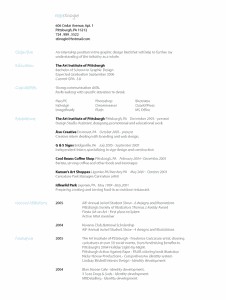
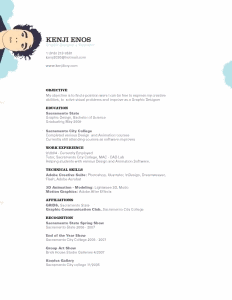
Kenji Enos resume Christopher Mcadams resume
Karla Martinez resume Rob Stinogle resume
Scott Tiger resume Julie Betters Resume
Salma Kadir resume Daniel Marcoux resume
Chevaughn Clowney resume Matthew Weidner resume
Julia Lund resume Sherry Chaumpluke resume
Andre Morgan resume Derek Benvenuti resume
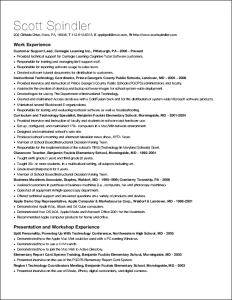
Scott Spindler resume Roger Pallan resume
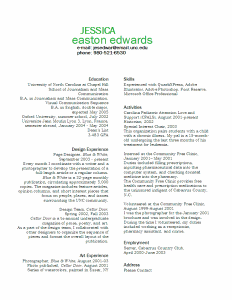
Colin Nederkoorn resume Jessica Edwards resume
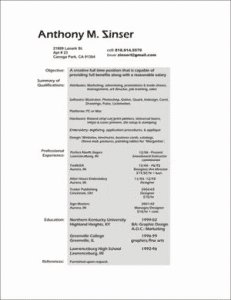
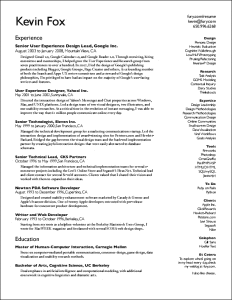
Anthony Zinser resume Kevin Fox
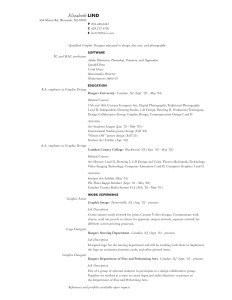
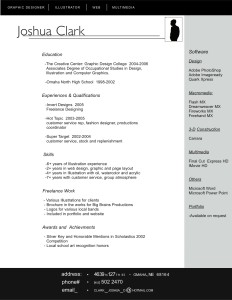
Elizabeth Lind resume Joshua Clark resume
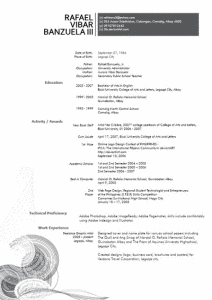
Rafael Vibar Banzuela resume David Fernandez resume
Graeme Findlay Resume Hertell Resume
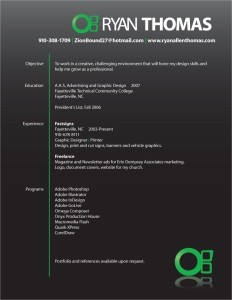
Tasha Lee Resume Ryan Thomas resume
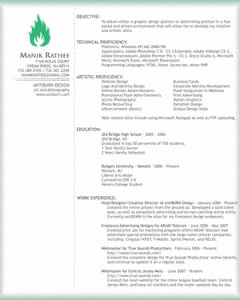
Manik Rathee resume Ryan Gilden resume
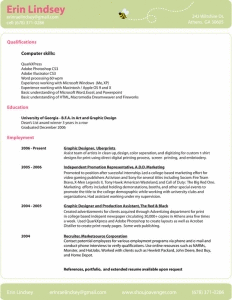
Erin Lindsey resume Terry Dee Resume
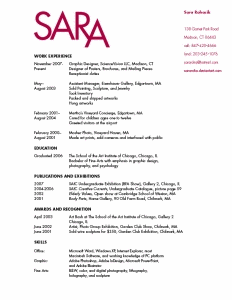
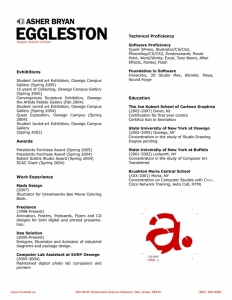
Sara Rohacik resume Asher Bryan Eggleston resume
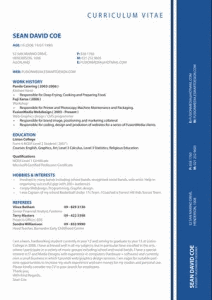
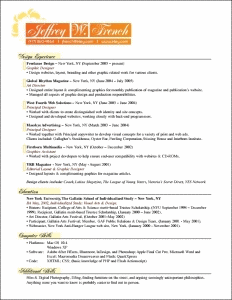
Sean David Coe resume Jeffrey French resume

Bonus designer alternative resume

Michael Mangus resume

Although you would never send this to an Israeli diamond dealer or your local chick sexer, the mix of drawing and print on top of "the back of an envelope" really makes this resume memorable.


Monday, October 13, 2008

Sample 'Search Me' Interface

Tuesday, October 07, 2008

Can soy supplements keep your blood vessels healthy?


Sent to you by TO-Double-D via Google Reader:


via Consumer Reports Health Blog by Consumer Reports Health Blog on 10/7/08

Soy In many Asian countries, soybeans have been part of the traditional diet for thousands of years. Soy has also become increasingly more popular in the West, both in Asian-style cooking and in vegetarian foods, like meat substitutes and non-dairy milk products.

A diet rich in pulses, including soy, along with plenty of fruits and vegetables, seems to be one of the healthiest ways to eat. While it's important to eat a balanced overall diet, researchers have also wondered whether specific chemicals from soy can be beneficial when they're taken on their own.

A new study has looked at capsules containing soy extracts called isoflavones. The study, based in Hong Kong, looked at around a hundred people who had all had a stroke at some point in the past. The average age was 66 years.

Half the people took the supplements for 12 weeks, and the rest were given a placebo, for comparison. Everyone kept on taking their usual medications, too.

At the end of the study, researchers used an ultrasound scanner to see how well people's arteries could expand. If your arteries can widen easily to let more blood through, it's a sign that your blood vessels are healthy.

At the start of the study, about 8 in 10 people had blood vessels that didn't expand very well. After treatment, this dropped to 6 in 10 for people taking isoflavones, but barely changed for people taking a placebo. However, taking isoflavones didn't improve people's heart rates or blood pressure.

It's important to think about what this study doesn't tell us, as much as what it does. Although the study shows promise, we don't yet know if there are real-life benefits to taking isoflavones, like living longer or being less likely to have a stroke. All we can say at the moment is that these supplements helped improve the health of people's arteries.

It's also important to remember that the people in the study kept on with the drugs they'd been prescribed by their doctors. The researchers stress that isoflavones aren't a replacement for conventional medications.

The people were taking capsules containing an 80 milligram (mg) dose of isoflavones every day. We don't know whether eating foods containing isoflavones, like soy products and chickpeas, would have the same effects. However, these foods tend to have lots of fiber and vitamins, with low amounts of saturated fat, so they're unlikely to do you any harm.

What you need to know. If you're interested in the idea of taking isoflavone supplements, it's a good idea to check with your doctor or pharmacist first. Natural supplements can sometimes cause side effects or react with other medicines you're taking, so it's best to get professional advice before you start.

—Philip Wilson, patient editor, BMJ Group

ConsumerReportsHealth.org has partnered with The BMJ Group to monitor the latest medical research and assess the evidence to help you decide which news you should use.

Check out our Natural Medicine Ratings for soy (subscribers only), and read more about how to reduce your risk of a stroke (free).


Things you can do from here:


Beached


Beached from Keith Loutit on Vimeo.

Sunday, October 05, 2008

11 Web Based Tools 4 Designers

11 Free And Helpful Web Based Tools That Every Designer May Want To Know!

Today, we are listing another 11 Free And Helpful Web Based Tools That Every Designer May Want To Know! We tried to make this list most useful and interesting for every designer. Most of them are not very well known, but they are really amazing in respect to their features. Just take a look at them and share your thought's here.

You are welcome to share if you know more free web based tools for designer which our readers may like. Do you want to be the first one to know the latest happenings at SmashingApps.com just subscribe to our rss feed

I will appreciate if you can spread the word via Digg, Stumbleupon or other social media websites, Thank you

splashup

splashup

Splashup is a powerful editing tool and photo manager. With all the features professionals use and novices want, it's easy to use, works in real-time and allows you to edit many images at once.

ResizR

resizr

ResizR is a nifty, free and very useful little helper. ResizR allows you to resize an image from your local computer or the web.

adhesiontext

adhesiontext

adhesiontext is a dynamic text tool. This is to provide texts with a limited set of characters in several pseudo-languages. These can be particularly useful for typeface designers and font developers, especially during early work stages.

CSS Layout Generator

CSS Layout Generator

This generator will create a fluid or fixed width floated column layout, with up to 3 columns and with header and footer. Values can be specified in either pixels, ems or percentages.

PatternCooler

PatternCooler

Add your own colors to contemporary and retro pattern designs, or browse from thousands of pre-colored patterns in the seamless pattern background library. All artworks on this site can be used freely on personal blogs, mobile phone wallpapers, MySpace profiles and non-commercial web projects.

ThinkFree

thinkfree online

Enjoy instant access to your files, and share them with colleagues and friends anytime, anywhere. Documents editing is fundamental.

ColorSchemer ColorPix

ColorSchemer ColorPix

ColorPix is a useful little color picker that grabs the pixel under your mouse and transforms it into a number of different color formats. You can use the built-in magnifier to zoom in on your screen, click on a color value to copy it directly to the clipboard, and even keep ColorPix on top of all other apps and out of the way.

net2ftp

net2ftp

net2ftp is a web based FTP client. It is mainly aimed at managing websites using a browser. Edit code, upload/download files, copy/move/delete directories recursively, rename files and directories — without installing any software.

Remember The Milk

remember-milk

An intuitive interface makes managing tasks fun. Set due dates easily with next Friday or in 2 weeks. Extensive keyboard shortcuts make task management quicker than ever. Receive reminders via email, SMS, and instant messengers. Adding tasks is as simple as firing off an email (even from your phone) and much more…

Picreflect

Picreflect

Picreflect helps you to give the reflection on any image, to resize your image, to make them tranparent or rotate them to any angle.

Colors on the Web

colors-on-the-web

This site is dedicated to the use of colors in design, and especially in web design. This site will give web designers a better understanding of the importance of colors– that there might be more to colors than you once thought.

Election 2008 - Over Simplified


Saturday, October 04, 2008

35 jQuery Tutorials - Next Gen Web Design

35 Essential jQuery Tutorials, Code Chunks and Plugins for Designers

In JS / JS Libraries 

I'm not ashamed to admit that I really love jQuery, and equally unashamed to admit there are some serious masters out there who totally eclipse anything I can muster up with the library.

So it's for this reason I've rounded up some of the finest jQuery resources to achieve all kinds of things on a web page, from accordions to Flash-like menus to lightboxes, animation and more!

Please note that I've not included any plugins or tutorials that rely on server side code (this will come later), but if you know of a good plugin or tut I've missed, feel free to leave a comment and a link.

Plugins & Code

jQuery UI

This really is the daddy of all plugins, so much so it's pretty much a library in its own right! It still relies on jQuery though, but there are heaps of things you can add to your pages with jQuery UI, including a datepicker, dialog box, drag and drop, accordion and tab system. The only thing you'll need to be careful of is that you may have way too much fun with this!

MYJ UI

This is another cool collection of desktop-style user interface components, which also includes a suite of charting and graphing tools. Other components include collapsible panels, dialogs, rich text editor, and treeview. Definitely worth checking this one out. There's even a ready-made webmail interface for the programmatically inclined to add build an email system on top of.

Thickbox Plugin

This one has been around for a while now but is favoured by a lot of developers due to its versatility in terms of the type of content it can manipulate.It can be used to handle image galleries, iframes and AJAX content.

Modal Dialog

In an age when apps are more often being built on web technologies, tools such as modal dialog boxes are becoming a necessity, rather than a luxury. SimpleModal is more than just a dialog box generator, you can put forms and content chunks in it too.

Animation/Easing

One of the longer standing jQuery plugins, which enables you to create easing effects on container elements in an almost Flash-like manner. It's very configurable, and for some ideas about what you can do with it, change the configuration options in the in the drop-down lists in the working demo on the home page.

Client-Side Table Sorting

A plugin which enables table sorting with remarkable ease. On the site you'll find simple implementation instructions plus working demos and documentation. It's designed to work on well-structured HTML tables, which need to include <thead> and <tbody> tags in order to have this plugin work.

Style Switcher

Always nice to have the ability to quickly change the look and feel of a website, and with this code snippet your visitors will be able to do just that! There's also a working demo for you to view source on if you need to.

Form Validation

Never one to normally blow my own trumpet, but my tutorial on how to create reliable, intuitive client side validation using jQuery and an easy to implement plugin will see you on your way.

Paging

A jQuery plugin intended specifically for paging, this one offers demos and full code samples to get you up and running straightaway.

Tooltips

Probably the best of the more recent jQuery tooltip code snippets around at the moment, with a short and sweet tutorial plus a cool working demo. The tooltip is animated, and comes into view using an interesting combination of fade-in and light-up effects.

Table Sorting & Paging

This awesome jQuery plugin provides a similar feel to the heavyweight Ext.js. It provides paging, sorting and the ability to choose how many records (rows) are displayed per table page.

Coda Slider

An advancement of simple tab creation, enabling you to create tabbed content with a content area that slides in and out of view (whilst making way for other tabbed content, of course!). A little trickier to implement, but once you get going you'll love it!

Inline Rich Text Editor

An unusual use for jQuery here, used to dynamically transform a standard textarea into a custom content editing pane. You can find implementation instructions here, and all in all, it's extremely easy to build into your web page without a great deal of jQuery or JavaScript knowledge.

Tree View Menu

Another handy script courtesy of the excellent bassistance.de repository of code goodness! This creates a similar effect to the ASP.NET tree view effect, and is handy for apps or sites with hierarchical navigation menus.

Lava Lamp Menu

Create a Flash-like menu with a background that "follows" your mouse across a horizontal menu. There's also a step-by-step guide to getting the menu set up in terms of both the xHTML/CSS and the jQuery.

Toggle / Expand / Collapse Elements

It's always nice to have the ability to "fold things away for later". With this plugin, you can accomplish this easily. You can set your elements to start off as either collapsed or opened, and there's also an easy step-by-step implementation guide.

Colour Picker

If for any reason you're looking for an embedded colour picker, then this is probably just the job for you. With a working demo, download link and usage example all on the same page, it's easy to get this little script up and running.

jQuery Charting

Perhaps one of the more leftfield plugins covered here, but this script enables you to create charts from tabular data using the <canvas> element which you can embed into an HTML page easily.

Rounded Corner Boxes

The desire for rounded corner boxes never ceases! And with this plugin, you can create them without images. There are also plenty of other options regarding the general shape of your corners. Definitely worth checking out.

Equal Height Columns

Another common problem solved by jQuery, as this plugin enables you to create equal height columns without having to manually set a fixed height on any of them.

Cookie-Enabled Animated Slider

A handy expandable panel code chunk that creates a content area that remembers whether the user has left the panel open or closed on their last visit to the site. Really easy to implement, with an example available here.

Tutorials

Accordion

This tutorial shows you how to convert a standard <h3>...<div>...<h3>...<div> pattern into a full blown accordion without a great deal of code. It takes a step-by-step approach and makes the otherwise complex seem very simple.

jQuery Crash Course

This large, extensive article on Digital Web Magazine is a really good read if you're new to jQuery and have an hour to spare. As you work through the tutorial you'll create a full-blown passenger management system for an airline. Cool or what! Here's the working demo.

jQuery API Browser

OK, so this isn't actually a tutorial in the purest sense, but it includes usage examples of all the main jQuery methods and is ideal for those just getting started with the library.

Automatic Table of Contents

A full blown tutorial with full explanations of the jQuery code you'll need to create a dynamic table of contents. The TOC built in this tutorial is dependant upon the number of <h2>s you've got in your document (you'll need more than one to follow along).

Simple Tabbed Navigation

Another one of mine here, in which you'll be able to create a simple tabbed content area using just jQuery and a relatively short code snippet.

CSS/jQuery Sprite

An extensive tutorial that takes you through the full works of developing a menu using the CSS sprites technique, with a dash of jQuery naturally! Written by the ever knowledgeable Dave Shea of Mezzoblue.

jQuery Cheat Sheet

This simple cheat sheet is ideal for those who have a little experience of building simple scripts with jQuery, but would like a simple reference in order to perfect the basics (i.e. selectors, CSS properties, DOM manipulation, events). The cheat sheet is available as a PNG image.

Another jQuery Cheat Sheet

This one's quite extensive, and comes in PDF format.

Introduction to jQuery (Slideshow)

A handy visual intro to jQuery itself, providing a quick view of what you can manipulate with jQuery, plus some examples of handy jQuery code to get you going.

Create Your First jQuery Plugin

If you've tinkered with jQuery, and have a decent knowledge of JavaScript per se, you can get started creating your own plugins with this helpful starter tutorial.

Create a jQuery Drop-Cap Effect

An altogether slicker, more robust way to create a drop-cap effect for your web pages. This tutorial will talk you through all the steps necessary.

jQuery Tutorials for Designers

A highly visual way to get started in jQuery without feeling like you're tackling a programmers' manual. There are also some really cool examples here that move way beyond Hello World without putting you through chapter loads of theory in the meantime. There are working examples too.

Fading Menu and Replacing Content

A tutorial on the excellent CSS Tricks showing you how to build a menu, that when you click a link, dynamically replaces the content within the main content area. You can view a demo here.

jQuery: Easy JavaScript for Designers

This article demonstrates the power of jQuery nicely, by taking an example of some DOM manipulation in standard JavaScript and recreating it using jQuery. It's also a great article for getting to grips with some of the main methods available within jQuery.

Tuesday, September 23, 2008

PBS Newshour explains the 2008 credit bubble - 8 Min

YouTube - Broadcast Yourself
Paul Solman uses a domino metaphor, taking the viewer step by step through how problems in the housing market spread into the wider economy.
© 2008 YouTube, LLC

Friday, September 19, 2008

Cows

Cows & Politics Explained
______________________________________________

AN AMERICAN REPUBLICAN: You have two cows. Your neighbor has none. So what?

AN AMERICAN DEMOCRAT: You have two cows. Your neighbor has none. You feel guilty for being successful. You vote people into office who tax your cows, forcing you to sell one to raise money to pay the tax. The people you voted for then take the tax money and buy a cow and give it to your neighbor. You feel righteous.

A SOCIALIST: You have two cows. The government takes one and gives it to your neighbor.

A COMMUNIST: You have two cows. The government seizes both and provides you with milk.

A FASCIST: You have two cows. The government seizes both and sells you the milk. You join the underground and start a campaign of sabotage.

A CHRISTIAN DEMOCRAT: You have two cows. You keep one and give one to your neighbor.

++++++++++++++++++

DEMOCRACY, AMERICAN STYLE: You have two cows. The government taxes you to the point you have to sell both to support a man in a foreign country who has only one cow, which was a gift from your government.

CAPITALISM, AMERICAN STYLE: You have two cows. You sell one, buy a bull, and build a herd of cows.

BUREAUCRACY, AMERICAN STYLE: You have two cows. The government takes them both, shoots one, milks the other, pays you for the milk, then pours the milk down the drain.

++++++++++++++++++

AN AMERICAN CORPORATION: You have two cows. You sell one, and force the other to produce the milk of four cows. You are surprised when the cow drops dead.

A FRENCH CORPORATION: You have two cows. You go on strike because you want three cows.

A JAPANESE CORPORATION: You have two cows. You redesign them so they are one-tenth the size of an ordinary cow and produce twenty times the milk. You then create clever cow cartoon images called Cowkimon and market them World-Wide.

A GERMAN CORPORATION: You have two cows. You reengineer them so they live for 100 years, eat once a month, and milk themselves.

A BRITISH CORPORATION: You have two cows. They are mad. They die. Pass the shepherd's pie, please.

AN ITALIAN CORPORATION: You have two cows, but you don't know where they are. You break for lunch.

A RUSSIAN CORPORATION: You have two cows. You count them and learn you have five cows. You count them again and learn you have 42 cows. You count them again and learn you have 12 cows. You stop counting cows and open another bottle of vodka.

A SWISS CORPORATION: You have 5000 cows, none of which belong to you. You charge others for storing them.

A BRAZILIAN CORPORATION: You have two cows. You enter into a partnership with an American corporation. Soon you have 1000 cows and the American corporation declares bankruptcy.

AN INDIAN CORPORATION: You have two cows. You worship both of them.

A CHINESE CORPORATION: You have two cows. You have 300 people milking them. You claim full employment, high bovine productivity, and arrest the newsman who reported on them.

AN ISRAELI CORPORATION: There are these two Jewish cows, right? They open a milk factory, an ice cream store, and then sell the movie rights. They send their calves to Harvard to become doctors. So, who needs people?

HILLBILLY CORPORATION: You have two cows. That one on the left is kinda cute. Dibs!

Gov't Spending - Trends

Myth  - Vote Republican Republican to keep government small and pay less taxes.

Fact  - Prior Republican presidents have increased government spending and government deficits more than corresponding Democratic presidents.


Budget Information
1961 - 2008
Total Spending
Avg Annual
Spending
1961 - 2008
Total Deficits
Avg Annual
Deficits
Republican Presidents$ 33 Trillion $ 1.2 Trillion$ 4.6 Trillion $ 164 Billion
Democratic Presidents $ 16 Trillion$ 0.8 Trillion $ 0.6 Trillion$  30 Billion
Republicans Outspent Democrats by $400 Billion/Year  
Smaller Government, Huh?                             
 Examine the Difference in Deficits...
More than 5X that of the the Democrats!


Truth can be Sad


If Palin Were a Democrat...

Web 2.0 vs Web 1.0

Thursday, September 18, 2008

Bypass BitTorent Throttling & Traffic Shaping - Net Neutrality at its Best

Keywords: Bit Torrent bittorrent bitorrent bitorent bittorent proxy fast download speed throttle isp traffic shaping

Preferred client: Halite (Open source)

Best Practice: Encrypt all outgoing connections and prefer RC4 and Plaintext encryption for incoming connections.

Encryption still utilizes the same torrent ports (merely encrypts the packets and header), so if your ISP wants to throttle or actively shape traffic they most certainly can (and will).

Another option for increased anonymity, is to configure your BT client to use Tor and Privoxy (which I only use when ultra paranoid - due to the massive speed hit caused by hopping through multiple onion routers).

BTGuard: ULTRA fast pay-to-use proxy (designed specifically for BT). It completely insulates you from any form of identification w/o throttling your connection.

Optimize BitTorrent To Outwit Traffic Shaping ISPs

Even though many of them deny it, most ISPs actively engage in traffic shaping, bandwidth throttling, connection denial or some such tactic to keep the amount of bandwidth consumed by high traffic applications on their networks to a minimum. While this does often ensure better performance for everyone in the neighborhood, it can mean painfully slow transfer speeds for those dabbling in P2P -- legit or not.

While there are valid arguments for and against shaping, we're not here to debate. We just want the fastest BitTorrent transfers The RC4 encryption offered by many popular BitTorrent clients today will obfuscate not only the header but the entire stream, which makes it considerably more difficult for an ISP to detect that you're using BitTorrent. Even if your ISP does not force you to enable encryption, you may be connecting to peers with ISPs that do.


How to be Outstanding

How to Be Outstanding

"If you do what you love to do, then you won't do it in an average way."
~ Angela Bassett

Are you exceptional in your line of work? Do you love what you do? Perhaps that's why you are or aren't getting the results you want.

People who consistently achieve outstanding results all have this in common: they are passionate about what they do. It's no longer work, but an active participation of joy and creativity.

This article takes a deeper look into outstanding performance, and gives guidance as to how you can manifest outstanding results in your life.

First, I'll start with a slice from my own experience:

Five years of my life was spent in University getting a Math and Computer Science degree so that I could get a high-tech job with guaranteed security. School was tough and flew by quickly. After battling it out with other competitors chasing after the same jobs, I got what I wanted and landed in Seattle.

Very soon after, I realized that I wasn't that great at programming software, nor was I very interested in it. I got my job done, but I felt that I had to work extra hard just to keep up with my peers. I longed to fit-in with other engineers and felt like a sore thumb sticking out in the crowd. "One day, they're gonna find out…" I used to tell myself during the first six months on the job.

I knew better. I knew that I wasn't average. I knew that my best was excellent. I pulled long hours, worked on weekends, was addicted to caffeine, and within a few month, I developed an immune system disorder called Psoriasis Rosea from stress. It was the drive to be outstanding, in a position that wasn't fit for me or my interests which brought me to this low point.

My Story Continues …

Overtime, I recognized that I naturally gravitated towards designing graphical interfaces and that I naturally obsessed over the user's experience while using software. I wanted to do that professionally, but lacked the education or experience. A roadblock had appeared before me. I had voiced my intentions to my manager and was told No; again, another roadblock.

I didn't give up. I read books, took seminars, worked on personal design projects and brought my new found knowledge onto the job. I incorporated design and user experience considerations into everything I worked on as an engineer. I developed a small reputation among neighboring teams, and soon was unofficially offering my user-experience expertise to other teams within the company. Despite it not being my job, I did it anyway. I did so because it was what I loved doing, it came natural to me and I felt that I was exceptional at it.

Over the next couple of years, I faced resistance and adversity surrounding my professional transition, but I clung to my clearly desired target. Through persistence and never giving up hope for my dream job, two years later, I officially became a user-experience designer for amazon.com. Since then, I have never looked back with regret.

Lessons from Following My Passion

Here is a summary of lessons I've learned through this experience:

  • Anything is possible if you want it bad enough
  • When you follow your heart, not only will you contribute more to your organization, you will utilize less energy and you will feel happier.
  • We are all naturally gifted at certain disciplines. You'll know when you find it, because you can quickly grasp new concepts, you find it enjoyable, and doing it comes easy to you; almost like breathing.
  • Doing something that is not natural to our abilities and interests is like swimming against the current. You'll eventually get to the shore, but it will take you longer and will excerpt extra energy.
  • Doing things that come natural to us and align with our interests feels like swimming along with the current. You'll get to the shore smoothly and with little effort.
  • When you are clear about wanting something, take action towards its attainment, and persist until you reach it, the universe will conspire to make it a reality. Your energy and determination will move people, and they will find ways to help you.
  • Insecurities and negative self-talk derived from fear achieves nothing, except to convince us that we are failures and losers. These are lies that only appear real in our imagination.
  • The roadblocks you encounter on the way to reaching your destination are actually gifts. Treat them as challenges that you were meant to experience and learn from. They are like small tests that the universe presents us with, as if asking: "How bad do you really want this? Have you given up yet?"
  • When you listen to your heart, follow your passion, and do what you love to do, it's hard not to be outstanding. You're almost guaranteed to succeed.

Finding Your Passion

At any given point, we have the option to choose one of many potential lives for ourselves. Ask yourself, which of the many lives will inspire me more? Which do I desire the most? What do I gravitate towards? What does my heart say?

outstanding2.jpg
Photo by Mike BG

Some of you may be wondering, what if I don't have a passion? Then, go out and find one. The thing to note is that we're not restricted to a single passion, we may have many. But at any particular moment there is only one that we want more than the rest. Make that your focus.

There are no right or wrong answers. Your interests, desires and passions are a reflection of the unique brand that is you. No one else can discover or express your passions for you.

Here are some questions and tips aimed at helping you discover your passion. I recommend grabbing a pen and notepad to answer some of them on paper. Write down the first few answers that come to mind without editing.

  • Interest - Explore activities you are interested in; whether they are professional or personal interests. Remember that personal interests can turn professional very quickly if you believe in yourself and keep persisting.
  • Try Something New - Is there a job or activity that you've always been curious about? Maybe it's starting an online store, or the project manager role at your company, or running a marathon. Learn as much as you can about it. Explore your interests, try them out and see what sticks. Much of life is about making choices and filtering out options. What you're doing here is filtering out potential activities that you can get passionate about.
  • Play By Strength - Look at your strengths and see which jobs or activities demand those skills. Try asking yourself the following questions:
    • What am I good at?
    • What tasks do I find easy to do?
    • What parts of my job do I enjoy doing? Why?
  • Ask People - Sometimes, other people can see our qualities clearer than we can, since their minds are not inhibited by our negative self-talk. Ask your friends, family and close co-workers what they think your best qualities are? Ask them what they think you are good at and what professions they think you would excel in?
  • The Questions - Answer any or all of the questions below. Consider the answers and how they can be applied towards understanding your passions.
    • "If I could have any job, what would it be?"
    • "If I could try any job in my current organization, what would that be?"
    • "If all of my expenses were suddenly paid for every month by an invisible source, what would I be doing with my time?"

Keep in mind that your passions can change, especially after they have been attained. Be flexible, open and sensitive to your feelings. Adjust your current situation as you see fit.

Creating the Way

"Life is an ongoing process of choosing between safety (out of fear and a need for defense) and risk (for the sake of progress and growth). Make the growth choice a dozen times a day."
~ Abraham Maslow (comments by Derek Sivers)

A common theme I've seen in many people is to give up before they even try. "Well, I gotta pay the bills. I'd love to do my music/photography/online-business/<insert interest>, but I just can't. This is the way it has to be and there's nothing I can do about it."

I have personally known far too many musicians, photographers, writers and entrepreneurs who have created successful business and promotional models for themselves, for me to buy into the above belief. Yes, some of these occupations and interests have a reputation for not paying enough money to survive on. But that doesn't mean that you can't create a bright future for yourself, if you make it your passion. Hope is within reach, it's up to us to grab it.

Fear will paralyze us if we let it.

Creating the Way: Real-Life Case Studies

Both examples showcase musicians, but similar stories can be found for other creative professions.

Case 1:

In high school, Joshua Roman excelled at Math and Physics and later had the option to pursue it at a graduate level. It seemed to have been a more secure option with guaranteed income. Instead, Josh took the "high-risk" career path and made the passion-filled, regret-free decision to dedicate himself to classical music. He followed his heart and despite some initial setbacks upon graduation, his faith, persistence and hard work has paid off - big time.

On a flight back to Seattle, my 23 year old friend was asked by the woman sitting next to him, "What do you do for a living?" Josh quickly and proudly answered, "I'm a Cellist." She looked puzzled, and asked "You can make a living doing that?" Little did she know, Josh was one of the highest paid musicians in the Seattle Symphony and had recently signed a record deal with Sony Japan.

Case 2:

Derek Sivers has been a fulltime musician since he was 18. In 1998, with a passion for music and a desire to help fellow musicians, he created CDBaby - an independent music distribution site. At the time of starting CDBaby, Derek knew only basic html, and had taught himself enough web programming and basic database concepts to get the site going. He continued learning as the site grew.

Most people might instantly shy away from technology, out of fear of the unknown or of feeling stupid. Not Derek. He stepped up and jumped head first into the fire. Pretty cool huh?

Over the past ten years, CDBaby has distributed around 4.6 million CDs and generated 85 million dollars that has been paid directly to independent bands. That's what I call, "Making History, Baby!"

Common Pitfalls + Tips

There are several pitfalls and myths surrounding making a living while following your passions.

outstanding3.jpg
Photo: Simón Pais-Thomas

1. Myth: You need a formal education before you can …

For some professions such as medical physicians, yes, this is true. In most cases, education is optional. In cases where formal education is optional, this myth only acts as a mind trap to cause self-doubt and friction on the path to pursuing our passions.

In many professions, experience, a solid skill set and a drive to succeed are much more valuable and essential than a formal education.

2. Tip: Become your own teacher and your own best student.

Many exceptional people are in their respective fields as a result of self taught skills. Go out of your way to learn, read as much as you can on the subject, take classes that will expand your skills. Then practice as much as you can.

3. Question: "But what if I don't have any experience? No one will hire me without experience. I'm doomed. Poor me."

Stop complaining. Go out and get some experience! Talking about it is a waste of time - it gains you nothing, except the conviction that you're doomed.

Offer your time and skill for free. Create the opportunity for yourself by initiating your own projects. Offer yourself as an intern in your desired industry, continue cold calling companies until you get something. Never give up.

4. Tip: Believing In Yourself - Confidence Building

What often stops us from pursuing and succeeding in our chosen passion is ourselves. Out mind gets so cluttered with doubt and self-defeating thoughts that we end up believing them and giving up.

This fear and resistance to change is something we all experience and can relate to. There is no magic pill that'll make these thoughts go away. Only this advice: practice taking action despite fear and doubt, as often as possible. We are creatures of habit, the more we repeat something, the better we get at it, the more automatic it becomes, and the more natural it feels.

Here are some tips that I have personally found helpful in confidence building:

  • Take Massive Action - And doing so often. As much as possible. The more you do this, the less scary it will seem, and the more confident you will feel.
  • Visualization - Our repeated thoughts (whether conscious or unconscious) create the tracks for the train of our mind to run on. The train ends up looping in a cycle unless we create new tracks for it. Visualization is an effective tool for creating new neural pathways in our brains, thereby introducing new experiences through our imagination. Our brains cannot distinguish between what is happening in reality and what is being vividly imagined. (Shakti Gawain has a great book on the topic if you'd like to learn more.)
  • Affirmations - Similar to visualization techniques, affirmations create or thicken neural pathways in our brains. It's effective in replacing negative thought patterns with thoughts more conducive to our wellbeing. Affirmation is simply writing down a positive statement in present tense that includes where you want to be or states qualities of the more wholesome 'you' that you would like to embody. Repeat this statement as often and as much as you can. Posting this statement on walls where you'll see it is also helpful. Examples, "I am an outstanding person. I live in the present moment. I embody love, compassion and kindness towards others." Or "I am an achiever. I achieve my goals. I live life with passion! I am contributing in massive ways. I am outstanding!" Note: This is not lying to yourself, but rather feeding positive messages to your unconscious mind. We get enough self-defeating thoughts as it is from our 'ego-ic' minds. This is just a tool to help us undo some of that.

As you strengthen your beliefs about your skills and continue to perfect your craft, you'll notice a shift in the way in which people respond to you. They will start to see you as the more wholesome you.

5. Tip: Talk often about what you want

In addition to taking action towards what you want, tell other people about it. Tell your close friends, your manager, and your family. Telling others does four things:

  • Helps you define your intentions. You'll gain more clarity through talking about it.
  • Sends out your intentions to the Universe.
  • Let your inner-circle and support-system in on your desires, so they can help support you in your desires to attain something that means a lot to you.
  • Telling other about what your doing has a tendency to hold you accountable, and encourages you to continue taking action towards its attainment.

Continue to take action every day and every week towards your target. However small the action may seem, it will help you get one step closer to your goal.

My only caveat is to avoid telling people who generally lean towards the negative. Reserve it for people who want to help you, are supportive, and preferably have a positive outlook on life.

6. Tip: Find a Mentor

Having a mentor will not only accelerate your learning in a particular field and steer you away from common mistakes, but also gives you valuable insight and visibility to helping you determine whether this is something you really want.

If you're working at a company as a computer programmer but are interested in working as a project manager, talk to a senior PM and see if you can be mentored by them. Make it clear that you won't take too much of their time.

If you're a photographer trying to get into commercial photography, find someone who is already doing that and offer your time as an assistant for free, in exchange to be in the studio to watch and learn.

If you don't know anyone personally who is achieving the kind of results you desire, go out and find them. Go to cultural events where such people would frequent. Alternatively, a wealth of information is available online or in books at minimal cost.

Be thoughtful and considerate when approaching potential mentors. Don't take "no" personally. Think about what you can offer them (that is actually valuable to them) in exchange for their time.

Parting Words

We all posses the seed for being Outstanding, it's just that some of us haven't fully bloomed yet. We all have the capabilities, imagination, and foundation to achieve extraordinary results. The secret lies in having a clear target, following our heart, taking continuous small steps, acting despite fear, adjusting as we proceed and keeping moving without giving up.

With these simple ingredients, every-day-people can and will achieve exceptional things. Guaranteed!

I have faith in you. Throw out your fears and listen to your heart. I look forward to seeing the Outstanding person that you are, come alive.

Until next week…What are you passionate about? Share your thoughts in the comments! See you there.

***************************************************
Note: Simply Tina is now live. Check it out!
***************************************************
Wednesday, September 17, 2008

20 Free Page Analysis Tools

20 Free Page Analysis Tools

Posted by Steven Snell

When developing and maintaining websites, analysis plays a significant role in maximizing the effectiveness of the site. There are a number of resources and tools for analyzing web pages, and this post looks at 20 of the best free tools for this purpose. Almost all of them require no account or download to be used.

There are a variety of different tools represented here. Some will analyze one specific aspect of a page and others will give an overall grade to the page as a whole. Most of them will help you with your SEO efforts. Try a few of them that looking interesting and helpful.

Website Grader from HubSpot

Website Grader is one of my favorite tools on the list because of how helpful and usable it is. You'll get a lengthy report broken into various sections with an evaluation of the page and recommended changes. While the grade is helpful to know where you stand, the suggestions are more valuable because they help you to identify areas for improvement, and many of them can be pretty simple.

Trifecta from SEOmoz

One of the more unique tools in this list, Trifecta will analyze a page, a blog, or an entire domain based on slightly different criteria. Trifecta will produce numbers based on a variety of factors and it will give you an overall score. Without a pro membership you're limited to one report per day.

Spider Simulator from Summit Media

This tool will give you a good idea of how search friendly you site is, and it will also give you a percentage rating. It bases the rating on factors like meta tags, use of headers, images and alt tags, load time, and links.

Web Page Analyzer from WebsiteOptimization.com

This free tool will give you plenty of information to work with. It will test how long the page takes to load, how many objects are on the page, the size of the objects and more. The most helpful part of the report that is produced is the "Analysis and Recommendations" section where it will list 11 aspects of the page and give you a rating. Red items are warnings, yellow items are cautions, and green items are good.

SEO Analysis Tool

Get a lengthy and detailed report from this tool. It will analyze things like your meta tags, keywords, and anchor text on the page. It's a good resource for getting a nice overall look at the SEO of your page.

The Escape's Web Page Analyzer

This tool will help you to identify problems with heading structure, links, use of keywords and content. It's not as detailed of a report as some of the others, but the information that's provided is helpful and it features a better presentation than most other tools.

Seed Keywords

Seed keywords offers a "plain English SEO review" that analyzes certain aspects of a page and makes recommendations. It provides a basic explanation of why elements that are analyzed will impact the SEO of the page.

Web Page Analyzer from FreeWebSubmission.com

This tool gives you a general overview of the page and a number of specifics that have been analyzed. Like many of the other tools, it will analyze your meta tags and make suggestions if it finds that any improvements are needed. It also looks at the size of the page and the load time, keywords in the anchor text of the page, keywords in alt tags, and the keyword density.

Spider Test from We Build Pages

The Spider Test tool will give you a quick, simple look at how your page appears to search engines. It will show the page title, description, keywords, size of the page, the text of the page, and more.

Web Page Analyzer from Webmaster Toolkit

This Web Page Analyzer will allow you to specify a URL and a targeted phrase for search engines, and it will give you some feedback on how well the page is optimized for this phrase.

Link Appeal from Webmaster Toolkit

Do you want to see if a certain page (on your site or on someone else's) is valuable place from which to get a link? Enter the URL and it will give a score based on a few factors like PageRank and number of outbound links.

Full Page Test from Pingdom Tools

This tool from Pingdom will analyze a number of aspects of the page, including load time, objects, CSS, RSS, redirects and more.

SearchEngine-Analysis.com

Enter a URL and a targeted keyword or search phrase and you'll get a basic report that will give you an indication of how well you are doing in competing for that phrase.

Web Page Speed Test from Self SEO

This is a simple way to see how your pages compare to those of other sites. You can enter up to ten URLs to test at one time, which makes it easy to see how your pages stack up.

Similar Page Checker

Help to detect and avoid duplicate content penalties from search engines by comparing two pages to see how similar they are, from the perspective of a search engine. If they're too similar you can make modifications to distinguish them and avoid having them seen as duplicates.

Dead-Links.com

Dead links can be extremely frustrating for visitors, but checking for dead links can be a time-consuming task. Fortunately, this tool will allow you to enter a URL and it will crawl through the site and look for links that return 404 pages.

Firebug

The Firebug add-on for Firefox provides a number of development tools. For the purposes of analysis, Firebug will allow you to monitor and debug HTML, CSS, and JavaScript from within your browser.

YSlow for Firebug

Another Firefox add-on, YSlow will analyze your page to make suggestions for how you can speed up the page. YSlow is integrated with Firebug.

Google Webmaster Tools

Google provides a number of helpful analytical reports within Webmaster Tools. You can see which phrases your ranking well for, what pages are causing problems for Google when crawling your site, which pages are getting the most links, and much more.

Web CEO

Web CEO is a full suite of premium tools for optimization and analysis; however, there is also a free version available for download. The free tools will help you to get started with optimizing your site according to its recommendations. With the free version you can get keyword suggestions for your site, optimize your pages, check your rankings, and more.

Originally Published September 15th, 2008