Friday, January 27, 2012

Minimal Marvel Posters


 We love the idea of minimalist reinterpretation because we enjoy seeing how an artist can strip icons to their barest elements and still be recongnizable to a mass audience. Enter Marko Manev's series of minimalist Marvel posters, which includes icons such as Spider-Man, Captain America, Iron Man, Thor, The Incredible Hulk, Hawkeye, Black Widow, Mr. Fantastic, Invisible Woman, Human Torch, The Thing, Silver Surfer, and more.

Minimalist-Marvel-Superhero-Posters-by-Marko-Manev-3
We love the idea of minimalist reinterpretation because we enjoy seeing how an artist can strip icons to their barest elements and still be recongnizable to a mass audience. Enter Marko Manev's series of minimalist Marvel posters, which includes icons such as Spider-Man, Captain America, Iron Man, Thor, The Incredible Hulk, Hawkeye, Black Widow, Mr. Fantastic, Invisible Woman, Human Torch, The Thing, Silver Surfer, and more.

Minimalist-Marvel-Superhero-Posters-by-Marko-Manev-18


Infographic: Toying with the World


Of course it's important to treat kids occasionally with the newest toy or the latest game. But as the economy sinks and money gets tighter, it seems to me these types of purchases are also some of the first to cut back on. So I'm extremely surprised that even as families would reduce spending on groceries and school supplies, our toy budgets swell: Americans reduced average supermarket spending by about .5% from 2009 to 2010 while in the same period, toy industry sales grew by 2%.
I'm familiar with the temptation to overspend on kid's toys. And I know the problem with buying for your kids is that usually the most popular game or specific remote controlled car is just the only thing that'll do. It's hard to keep your consumer sense in the midst of the trends that keep our kids and tweens primarily wanting all the same things.
My latest graphic on U.S. toy spending should remind you to check loose spending on that latest video game or too-frequently updating kids' collections of non-necessities. Check out the surprising cost of our kids' whims:


Infographic: Security Concerns amid Mobile Payments and Coupons


Legal firm Loeb & Loeb is full of thinkers. Its clients and attorneys know that the world is a fluid place and the technology sector dynamic and ever changing. As part of its "Media MindShare " series, Loeb & Loeb has turned its attention to the digital marketplace to study what the dominant issues will be in 2012.
One of those issues is mobile commerce. That includes mobile payments and coupons as well as the security issues that inevitably will accompany the mobile commerce vertical. Are people really prepared to pay with their phones? What is holding them back? Check out the infographic from Loeb & Loeb below.
The infographic points out data reported by eMarketer that 35.6 million mobile phone users will use mobile coupons by 2013. But not all people are comfortable with mobile coupons. Near 52% of consumers are "not likely to use" mobile coupons, as a study from Opus Research points out. Some of that is security concerns with handing a cashier their phone or having concerns over the validity of the offer. Some people are outright embarrassed.
Another problem is the notion of data breaches. We have seen it many times with credit cards. Take the restaurant example. A waiter brings you your check. Without thinking, you pop your credit card into the book and the waiter comes back to swipe it at a terminal in back. Maybe though that waiter is up to no good and has his own credit card reader in his pocket somewhere. He swipes the card through the restaurants POS terminal and then again on the reader in his pocket. He then has the card number and can do what he wants with it.
This has been a problem in Europe, though steps have been taken to eliminate the practice. As a former chef, I have seen waiter co-workers of mine get fired and arrested for the same practice. It happens.
Now, think about replacing the credit card with your smartphone. Are you really comfortable handing over a device that can possibly contain some very sensitive information over to a stranger, even if said person is standing right in front of you and not taking the device out of sight? To a certain extent, this is an irrational fear. The new era of mobile payments will likely mean that your phone never leaves your hand. POS systems set up with NFC or the ability for a cashier to scan your phone with a QR card reader means that you should never be handing your device over to anybody. Yet, the research says that people have security fears and that is a valid concern.
Check out the infographic below and let us know what your concerns are in the mobile payments space in the comments.

Supreme Court's GPS Ruling Has Broad Implications On Tech


Those old reruns of "The Wire" I've been working my way through, in which seemingly at least once a season Baltimore police used the latest GPS tracking gadgets to follow a bad guy, just wouldn't be the same had they been written after Monday, when the Supreme Court ruled that its unconstitutional for police to use GPS tracking devices without a search warrant.
Sort of.
In effect, the court ruled that it's okay for police to track every move you make. The only thing wrong they did in this particular case was commit common trespass when they applied a tracking device to a car. And future courts in future cases are free to rule differently.
"This approach is ill suited to the digital age… I for one doubt that people would accept without complaint the warrantless disclosure of every Web site they had visited in the last week, or month, or year."
The court's ruling was essentially a non-ruling, leaving the GPS case open for future interpretation. The majority opinion, written by Justice Scalia, in the 5-4 decision ruled that police in Washington, D.C. trespassed and violated a suspected drug dealer's protection from unreasonable search and seizure when they applied a GPS tracking device to his wife's car.
But that does not mean, the majority said, that in the future police may be able to apply a tracking device that does not rely on an unconstitutional trespass. All of this highlights something that has come up in several recent tech cases that have gone before the high court : the document, written in the 18th century, is showing its age.
Even the gadgets in "The Wire," new and cutting edge when the show began its run on HBO a decade ago, are showing their age. In a concurring opinion, Justice Alito noted that very problem: if current case law is having trouble keeping pace with technological advances, then surely the Fourth Amendment is coming up short.
"In the pre-computer age, the greatest protections of privacy were neither constitutional nor statutory, but practical… The surveillance at issue in the case - constant monitoring of the location of a vehicle for four weeks - would have required a large team of agents, multiple vehicles and perhaps aerial assistance," Alito wrote. "Only an investigation of unusual importance could have justified such an expenditure of law enforcement resources."
Or, as Rebecca J. Rosen notes in her excellent analysis of the ruling in The Atlantic , "Today, we need law to make up for the protections that technological difficulties once provided." Alito went on to suggest that the issue may need to be handled with legislation by Congress, much as the legislative branch took the lead on updating wiretapping laws in 1986.
Justice Sotomayor's concurring opinion goes even further, hinting that the Fourth Amendment may need a complete re-imagining. Sotomayor said the third-party doctrine of Fourth Amendment law, in which you can't have a reasonable expectation to privacy when you voluntarily share information, needs to be rethought.
"But today we share information with a third party (often Google) with every email we send, every document we store in the cloud, and nearly every website we visit," Rosen wrote in The Atlantic . "Sotomayor writes that 'This approach is ill suited to the digital age… I for one doubt that people would accept without complaint the warrantless disclosure of every Web site they had visited in the last week, or month, or year.' Instead she says, we need to stop treating 'secrecy as a prerequisite for privacy'."

The Time Value of Money Vs. The Money Value of Time


Last month I did some volunteer work that was equal parts selfless and clueless and which would have made an economist cry.
My daughter's school holds an annual book fair to raise money to buy library books and I volunteered to coordinate it this year. A local bookstore brings over crates of books and kids come in throughout the week to buy them. Proceeds are split between the bookstore and the library. Literacy is promoted. Everybody wins.
Well, sort of. Before I get into the "where did I go wrong?" handwringing, a few observations:
First, anyone who thinks kids don't read anymore should drop by an elementary school book fair. This particular event was held at a pretty typical urban public school and the kids went crazy for the books. Not just the new Wimpy Kid book, but all sorts of books: Arts and crafts books, books about the scariest and most disgusting things on earth, graphic novels, picture books, and the perennial favorite of kids everywhere, the Guinness Book of World Records. After the book fair was over, kids kept stopping me in the hall to say, "I wish the book fair would go forever." (I did remind them that they can get library books for free.)
Second, kids do not understand sales tax. I know, why should they? But man, I saw a lot of steaming brows when I had to explain that you can't buy a $10 book for $10. Actually, come to think of it, I grew up in Oregon and I don't understand sales tax, either.
Finally, having a little money in their backpacks brings out the best and the worst in kids. I saw kids very politely begging their friends for money. (This is against the rules, of course.) I also saw kids spontaneously offering their own money to friends to cover annoyances like sales tax or being two dollars short for Wimpy Kid.

The value of time

In short, the book fair is a big, fun lesson in literacy, generosity, fractions and decimals, all bound up. What could be so bad about that?
Here's the problem: I ended up taking almost the whole week off work, unpaid, to sit in the library selling books. I'm not complaining about that, though. Who wouldn't prefer to hang out with kids, reading books, instead of working?
Conservatively, however, I missed out on billing $600 worth of work; call it $450 after taxes. The book fair raised about $150 for the library. If I'd gone to work and just donated my paycheck, the library could have bought a lot more new books.
Even though I thought I knew better, I became the walking incarnation of the conclusion of a famous economics paper :
"The inherent ambiguity of the value of time promotes accommodation and rationalization and may explain the rather obvious observation that most people are a lot more willing to waste time than money."
To help me make sense of this, I called Laura Vanderkam, author of the time management book,  168 Hours , and the forthcoming personal finance book, which I highly recommend, All the Money in the World .
"It sounds like it was incredibly enjoyable for you, hanging out with your daughter and her friends and encouraging young people to read," says Vanderkam. "Those of us who write for a living certainly hope younger people will read in the future."
But what about the money?
"It doesn't have to be an either-or question, right?" she says. "Maybe there was a way you could have done both. Maybe you could have split the work with someone else and donated moremoney that you had earned during some of the other time."
Indeed, I rounded up a few volunteers, but not as many as I wanted, and I was too reluctant to delegate and let volunteers take over so I could cram in a little work.
The lessons in math and interpersonal relations, the "promotion of literacy"—these happy side effects of the book fair, are fuzzy and hard to put a price on. The value of getting new books for a library that desperately needs them is hard to dispute.
So, I put it to Vanderkam bluntly: Next year, if the responsibility falls to me, shouldn't I cancel the book fair and promise to donate a week's pay to the library instead?
"Probably," she agreed. "When trading partners specialize in what they do best, it produces the most economic efficiency. When people focus on what they do best, that produces more efficiency, too."
(This, of course, raises another question: If I can inveigle someone else into running the book fair next year, do I still have to donate my paycheck? I do? Yeah, that's what I thought.)

On the bridge

Until the other day, I'd filed the book fair episode into the capacious lobe of my brain reserved for salting away dumb mistakes and trying to forget about them. I thought of it again while I was driving across the 520 floating bridge connecting Seattle with Bellevue and the rest of the metro area eastside.
This bridge has been a nonstop traffic jam, even on weekends, for as long as I can remember. I don't cross it very often, but I always dread it when I do. A couple of weeks ago, however, the state slapped a toll on the bridge to help pay for a replacement bridge.
Now the crossing is a delight. The Seattle Times reports that on one section of the bridge, the average speed jumped from 19mph to 65mph. That's tooth-grindingly slow to illegally fast. The traffic jam has moved to the other bridge.
Is it better to pay $5 to cross the free-flowing bridge or drive out of your way to take the non-toll bridge, which may or may not be congested? Technology to the rescue: A local developer has created a free smartphone app that tells you the current toll on the toll bridge (it varies throughout the day), the estimated crossing timefor each bridge and the cost in gas.
You still have to decide how you value your time. Are you economically rational or a time-wasting stereotype like me?
Matthew Amster-Burton is a personal finance columnist at Mint.com. Find him on Twitter@Mint_Mamster .

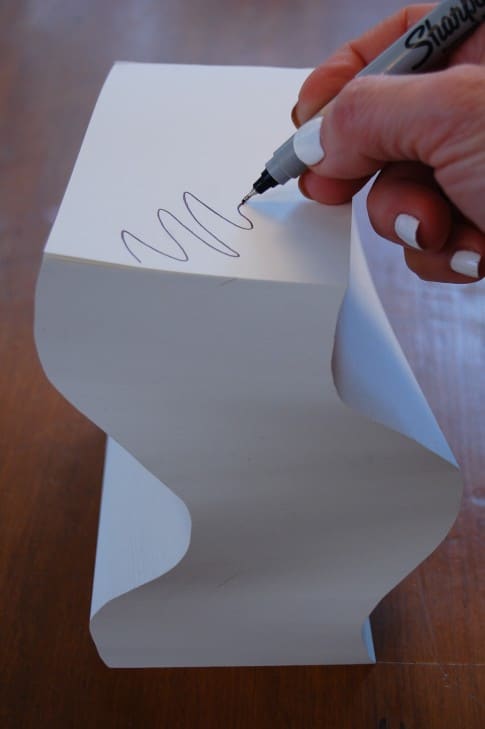
Revive your Dried Sharpie Marker


I made a great big batch of Chili the other day and preserved it in my pressure canner.  That is what I did, because I do things like that.
Then, I went to an office supply store to buy some labels for my newly jarred chili.  This is what I did, because I do things like that.
While at the office supply store, I walked right past the aisle filled with Sharpies and thought to myself "Huh, my Sharpie's all dried out.  I should probably buy another one, 'cause I'll need it to write my labels." And then it seemed like the biggest ordeal and expense in the world to buy a Sharpie, so I left the store without one even though I knew the one I had at home was dried up and I really needed to buy one.  That is what I did, because I do things like that.  All the time.
So when I got home I checked to see if the Sharpie Fairy had visited me, and indeed she had not.  My Sharpie was still as dried up as it was the last time I tried to use it.  It was not self-lubricating as I had hoped.
So I did this ….

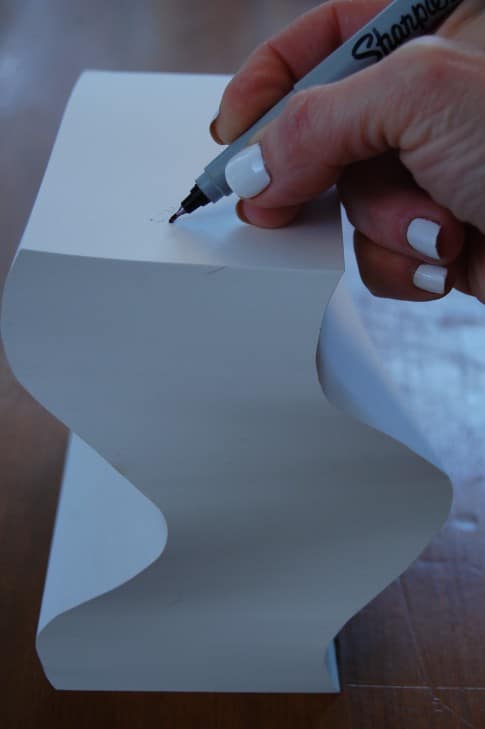
Checked one last time to see if my Sharpie tip was still dried out.

(it's usually the tip that's dried out, not the ink that's gone)

It was.  Dried out I mean.

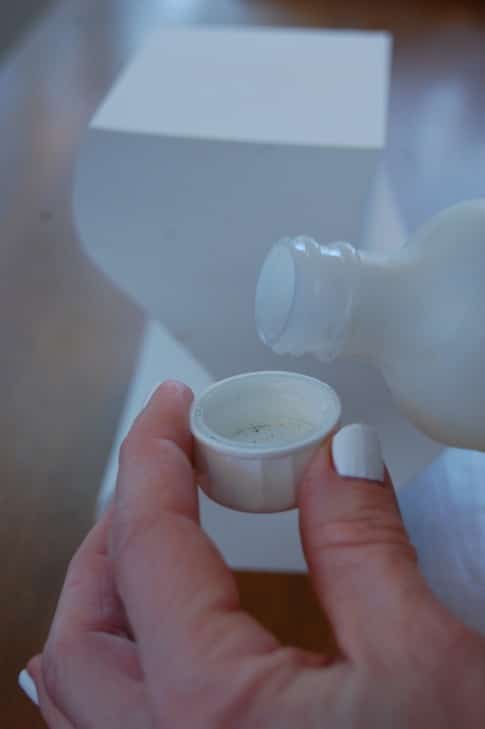
Grabbed a bottle of Rubbing Alcohol.

Poured some into the cap.

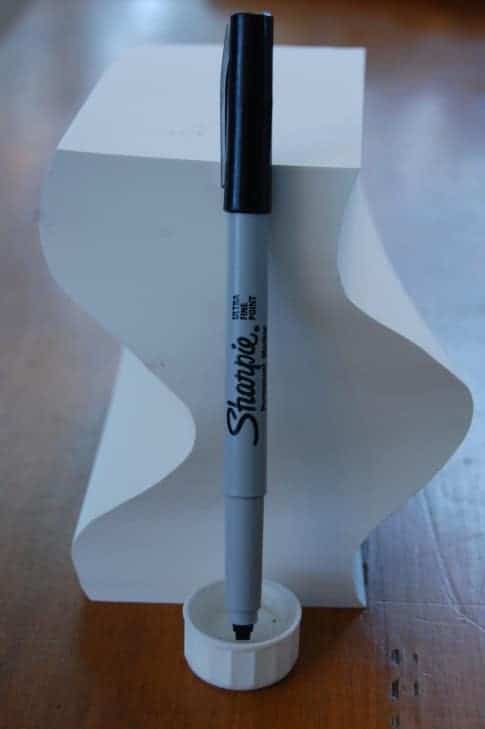
Dipped the tip of the Sharpie into the cap filled with Rubbing Alcohol.

I left it  until I could see a bit of ink swirling out.

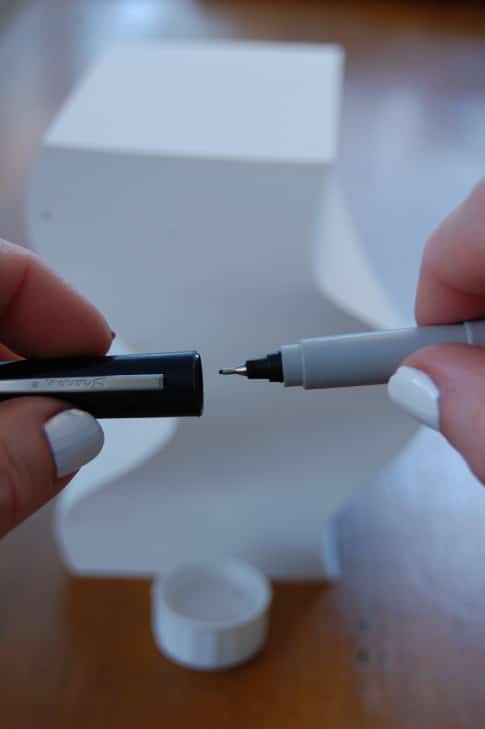
I put the cap back on the Sharpie and left it for 15 minutes.

Pulled my cap off and tried again.

That is what I did, because I do things like that.  All the time.
This trick will not revive allllll markers. Sometimes, some things are just too far gone to be revived with a little bit of alcohol.
(For a non permanent marker do the same thing but use water)

Set Up Timed Playlists and Non-Intrusive Distractions to Stay Focused and Productive at Work

January 26, 2012 10:56:16 PM

Set Up Timed Playlists and Non-Intrusive Distractions to Stay Focused and Productive at Work

lifehacker.com


In order to get your best work done, you need to buckle down, eliminate as many distractions as possible, and focus on each task at a time as much as possible. However, few of us have the luxury to wall ourselves off from the world all day. We have meetings, coworkers, phone calls, lunch breaks, and other things we don't want to forget. Here are some tips to isolate yourself so you can work, but set up some non-intrusive alerts and reminders so you don't forget to come out and join the rest of the world from time to time.

Step One: Set Up Your Cone of Silence

The first thing to do is to set up your personal zone of isolation. Once upon a time, you could just close your office door to focus and get away from the buzz of the workplace, but few of us have offices these days. If you can, invest in a good pair of noise-canceling headphones that can help you block out the chatter of your cube-neighbor or the sounds of your coworkers talking. I've found a good pair of active noise canceling headphones are your best friend when you work in an office with "open-style" cubicles and boisterous colleagues. Check out our guide to choosing the perfect headphones if you need help picking a pair. Rearranging your desk so you can focus on your monitor and not the goings-on around you can help as well.

Sometimes headphones don't cut it, though, and you need real isolation to get your work done. If it's crunch time and you need to focus, consider squatting on an open conference room in your office for a while, or finding a vacant office somewhere in the building that you can sit in for a while. You may not be able to do this for days at a time, but some of my most productive days were days where I blocked off a rarely-used conference room and sat inside for the bulk of the day, away from my desk and the distractions that came with it. If your home is a distraction-free environment (and not everyone's is) consider working from home when you really need to focus and churn out some work as well.

Step Two: Set Up Non-Intrusive, Timed Reminders to Get Up and Out

Once you have a distraction-free (or at least, distraction-minimized) work environment, either at your desk wearing headphones or holed up in a conference room somewhere, now it's time to make sure you don't forget about the real world. Earlier this week we discussed how setting a morning playlist can help you leave home on time . You can do the same thing for your focused work sessions—if you want to stay in the conference room for an hour with no distractions, build a playlist that's exactly an hour long of your favorite tunes, and start it. Don't forget to schedule your working time on your calendar so coworkers don't assume you're free and try to book you for a meeting or come to interrupt you while you're working. When your playlist starts to wind down, you know it's time to pack up and go grab a bite to eat, or at the very least take a break.

Another helpful tactic that offers a natural, organic cue that it may be time to end your isolation and rejoin the real world is to keep a water bottle handy with just the right amount of water in it that you'll need before you need to refill it. This is an adaptation on a hack we showed you on this episode of the Lifehacker Show , where you mark the water bottle with how much water you'll drink every few hours as a reminder to hydrate yourself. In this case, by making note that you need to refill the bottle when you drink down to a certain point, you have a reminder to get up and take a break. If you keep drinking water, nature may call too, which is as good a reminder as any. For shorter bursts of work, try filling up the teapot for a cup of tea—way more water than you may need—and turning the heat on low. By the time the whole pot is boiling, it's a good bet you'll need the break you get by getting up and making your tea.

These are just a few examples, but the goal is to come up with simple but effective cues that assert themselves and need to be resolved at times that are just right for you to either wrap up a timed work session and grab lunch, or take a break before starting the next session.

Step Three: Set Up a Few More-Assertive, Fall-Back Alerts, In Case They're Needed

If these techniques sound familiar, they should. They're something of a natural application of the Pomodoro productivity technique , a method we've mentioned before, especially in our guide to building your own productivity technique by remixing the best . If natural cues aren't enough to make you get up and take a break, you may need something a little more aggressive, like actual timers and alerts. Don't fear timers and alarms—as much as they can create some pressure to finish working, they also serve as "containment units" for your work, and can help keep you sane and productive .

If you want a better reminder that it's time for a break than your water is running low or your playlist is running out, a good old fashioned desktop alert can make all the difference. For example, an upcoming calendar appointment or a planned meeting that coincides with the end of your scheduled work session can serve as a great reminder. We've discussed several alarm tools here at Lifehacker, but previously mentionedWatchMe is a great tool for keeping track of multiple timers at once. For something more geared towards breaks, Breaker is another app we've mentioned that can help. Mac users can try Coffee Break for a reminder to get up at certain times.

Photo by mlpeixoto .

Ultimately, single-tasking and making sure you're isolated from the distractions that make you less productive doesn't mean you have to stick your head in the sand and forget the rest of the world exists. If you plan for it, you can come up for air on a regular basis, make your next meeting, remember to take lunch, and still network with your coworkers without anyone knowing the secret to your incredible productivity.

Infographic: SOPA & PIPA Explained


We've had a lot of discussion about SOPA and PIPA recently, the bills that want to cripple the internet , but there are still plenty of people who aren't clear on the issues. And although the bills have been shelved for now , similar threats (e.g., ACTA ) loom and it's wise to stay informed of the issues at stake. This infographic lays SOPA's and PIPA's legal and technical technical details out pretty clearly.
The graphic from Lumin Consulting covers the main issues and arguments against these bills, including mis-labeling of sites and potential for abuse, based on sources such as Reddit's technical examination of SOPA and Protect IP . The nice thing about infographics is when they're done well, they're easy to scan and read, and this one, as Search Engine Journal notes, is something even non-technical people may understand. So if you know someone who is still unclear about these bills, pass it along. Here's the full image (click to expand and or right-click to save to disk):

Thursday, January 26, 2012

Post Jailbreak: How To Reset Your iPhone's root Password

How To Change the iPhone's Root Password | iSource

How To Change The iPhone 's Default Admin Account Passwords:


On a Mac:
  • Find your iPhone 's IP address so that you know where you need to connect to.  To do this, go to the Settings app > WiFi > tap on the blue arrow to the right-hand side of the WiFi network you 're currently on (the one with a check next to it) > make a note of the IP Address entry listed there.
  • On many home WiFi networks the address will be something like 192.168.1.x " so we 'll use that in the command instructions below " remember to use your own IP address when doing this though.
  • Use the Terminal app or your favorite replacement for it (I use iTerm) and open a new window
  • Type this to connect as root to your iPhone: ssh root@192.168.1.x
  • You 'll be prompted for the root user 's current password.  Enter this: alpine
  • Type this to start on changing the password for the root user: passwd
  • Type the old password (alpine) and new password (twice) as per the instructions above for the iPhone.
  • Once you have changed the root user 's password, type this to switch to the mobile user: login mobile
  • Type this to start the password change for this user: passwd
  • Type the old password (alpine) and new password (twice) as per the instructions above for the iPhone.
  • Type this to end your remote session with the iPhone: exit
Done.
On a Windows PC
  • Find your iPhone 's IP address so that you know where you need to connect to.  To do this, go to the Settings app > WiFi > tap on the blue arrow to the right-hand side of the WiFi network you 're currently on (the one with a check next to it) > make a note of the IP Address entry listed there.
  • On many home WiFi networks the address will be something like 192.168.1.x " so we 'll use that in the command instructions below " remember to use your own IP address when doing this though.
  • Use Putty (free to download on the web) or your preferred app to make an ssh connection to the iPhone
  • Use 192.168.1.x (your iPhone 's IP address) as the host name or server name to connect to.  Choose ssh as the connection method, SFTP as the protocol, and 22 as the port number.
  • Use the username root to connect with and alpine as its password
  • When you have connected and have a terminal window open type this to start your password change for the root user: passwd
  • Type the old password (alpine) and new password (twice) as per the instructions above for the iPhone.
  • Once you have changed the root user 's password, type this to switch to the mobile user: login mobile
  • Type this to start the password change for this user: passwd
  • Type the old password (alpine) and new password (twice) as per the instructions above for the iPhone.
  • Type this to end your remote session with the iPhone: exit
  • Done.
    As you can see, these are easy and fast steps to take.  If you 're running your iPhone jailbroken and using the SSH service it 's very worthwhile to make these changes to the default passwords.  Even if you do not use SSH, keep in mind that other core iPhone services may have security holes and exploits in future " so the password change is a good idea all the way round.
    If you are using SSH, another good practice is to keep the service always toggled off except when you are using it for file transfers or similar activities, and to get in the habit of shutting it off as soon as you 're finished working with it.  The easiest way to do this is to use the excellent SBSettings app, to have a quick one-tap toggle on/off for SSH and other key services.